Organic search remains one of the biggest traffic drivers for online stores, with 26.7% of eCommerce traffic coming from organic search. That means even small SEO issues can have a real impact on how easily shoppers find your products, categories, and brand in search results. For WooCommerce stores, the opportunity is huge, but so is the margin for error.
WooCommerce gives store owners a lot of flexibility, and that is exactly where problems begin. A store can look perfectly fine on the surface while carrying hidden SEO issues in its URLs, category structure, product pages, internal linking, or indexing setup. In this guide, we will break down the most common WooCommerce SEO mistakes and show you how to fix them with a more strategic, expert-led approach.
TL;DR
Too long? Didn’t read? Here’s the quick summary.
Technical WooCommerce SEO Mistakes
| Mistake | Why It Matters | Quick Fix |
| Poor Permalink Structure and URL Conflicts | Creates inconsistent product paths and weakens crawl clarity | Use one clean permalink structure and keep it stable |
| Duplicate Product URLs and Archive URLs | Splits ranking signals and creates canonical confusion | Set a preferred canonical URL and use 301 redirects where needed |
| Indexable Filter and Faceted Navigation Pages | Wastes crawl budget and creates low-value URL variations | Noindex or canonicalize filtered URLs unless they serve search demand |
| Broken or Incomplete XML Sitemaps | Important pages may not be discovered or indexed properly | Audit sitemap coverage and fix plugin or indexing conflicts |
Content And Topical Relevance Mistakes
| Mistake | Why It Hurts | Quick Fix |
| Thin or Copied Product Descriptions | Makes product pages weak and hard to differentiate in search | Write unique, intent-driven product copy |
| Keyword Cannibalization Across Products and Categories | Makes multiple pages compete for the same query | Map keywords clearly across categories, products, and blog content |
| Unoptimized Product Category Pages | Misses major ranking opportunities for commercial-intent keywords | Add unique copy, FAQs, subcategory links, and better on-page targeting |
Search Visibility And User Experience Mistakes
| Mistake | Why It Hurts | Quick Fix |
| Missing or Incomplete Product Schema Markup | Limits eligibility for rich search results | Add and validate product schema for price, availability, and reviews |
| Weak Internal Linking and Breadcrumb Structure | Reduces crawl efficiency and weakens topical relationships | Improve breadcrumbs, related products, and contextual internal links |
| Slow Product Pages and Poor Core Web Vitals | Hurts user experience and overall search performance | Optimize images, scripts, caching, and template performance |
Mistake #1: Weak or Inconsistent Permalink Structure
One of the most common SEO mistakes in WooCommerce happens before a single product ranks: the URL structure is poorly planned. WooCommerce lets you choose from several product permalink formats, including default, shop base, shop base with category and custom base.
WooCommerce also notes that permalink structures should be short, navigable and keyword-relevant and that product base settings should not conflict with taxonomy bases.
The mistake is not just choosing the wrong structure. The real problem is changing URL patterns multiple times, mixing product/category variations, or creating overlapping paths that confuse both users and crawlers.
How to fix it:
Choose one permalink logic and commit to it. For most stores, a clean product slug or a stable shop/product path works better than overly nested category-heavy URLs. Keep URLs readable, short and descriptive.
If you change product URLs on a live site, always implement proper 301 redirects to the new version. Google lists redirects and rel=”canonical” as strong canonicalization signals and recommends consistent internal linking to the preferred URL.
Expert tip:
Do not rebuild your URL strategy every time you change category architecture. Categories can evolve. Your core product URL system should not.
Mistake #2: Letting Duplicate Content Across Categories, Tags And Archives
This is where many WooCommerce SEO mistakes start getting expensive. WooCommerce stores naturally create taxonomy pages, archives and tag pages. If those pages are thin, repetitive, or too similar to one another, SEO tools begin flagging duplicate titles and duplicate content fast.
This is not a theoretical issue. In Moz community discussions, store owners describe WooCommerce setups where categories and tags generate thousands of duplicate-content warnings. Other threads highlight duplicate page titles and repetitive content showing up mostly on product categories and product tags.
How to fix it:
Do not index every taxonomy page by default. Decide which archive pages deserve to rank and which ones only exist for navigation.
A practical rule:
- Index category pages that target real search demand
- Noindex thin tag pages, low-value archives, or duplicate taxonomies
- Write unique titles, meta descriptions, H1s and intro copy for important category pages
- Avoid creating both tags and attributes that essentially represent the same concept
Google also advises against using noindex as a sloppy replacement for canonicalization inside a site. If pages are true duplicates or near-duplicates, use canonicals properly rather than layering conflicting signals.
Writing unique meta descriptions for hundreds of products and categories by hand is slow. ThinkRank writes WooCommerce product meta descriptions with AI, and its bulk optimization fills in missing or duplicate ones across your store in one pass.
Expert tip:
If a category page cannot rank on its own for a clear query, it probably should not be indexable.
Mistake #3: Allowing Filter URLs And Dynamic Navigation Pages for Indexing
If your store has color, size, brand, price, material, or style filters, this mistake can silently destroy crawl efficiency. WooCommerce stores often create parameter-heavy URLs from filtering, and those URLs can multiply quickly.
You can see this in real community questions. Sometimes, Google Search Console issues are caused by WooCommerce filter URLs such as size-based parameter combinations, generating strange crawlable pages. The replies pointed toward noindexing attribute archives, ensuring canonicals point to the main page, and avoiding direct internal links to those filtered URLs.
How to fix it:
This is where stores need discipline.
- Keep the core category page indexable.
- Canonicalize filtered versions back to the main category unless a filtered page has a standalone search demand.
- Do not link heavily to junk parameter URLs in menus, faceted widgets, or internal modules.
- Noindex filter combinations that create thin or empty results.
- Limit crawl paths created by endless filter combinations.
Expert tip:
Not every searchable combination deserves indexation. A filter that helps users browse is not automatically a page that Google should rank.
Mistake #4: Publishing Thin, Copied, or Repetitive Product Descriptions
A lot of store owners copy manufacturer descriptions, reuse the same template with barely any changes, or publish variation-heavy product sets with nearly identical copy. That is one of the biggest seo mistakes to avoid because it weakens relevance and makes it harder for Google to understand which page deserves to rank.
The solution here is simple. Make content unique to each product, assign clearer keyword targets, and let the strongest product page target the primary term.
How to fix it:
Write product copy in layers:
- A unique product title focused on the actual search intent
- A concise opening summary that states what the product is and who it is for
- Benefit-driven product description
- Unique specs, use cases, compatibility notes, sizing guidance, FAQs and trust details
If you sell similar items, give each page its own angle. One product may target “lightweight trail running shoe,” another “waterproof trail running shoe,” another “wide-fit trail running shoe.” Same catalog family. Different search intent.
Expert tip:
Your product description should do what the manufacturer’s description never does: help the buyer choose.
Mistake #5: Ignoring Keyword Mapping And Creating Cannibalization
Many WooCommerce stores accidentally target the same keyword with the homepage, category page, subcategory page, and multiple product pages all at once. That creates overlap instead of authority.
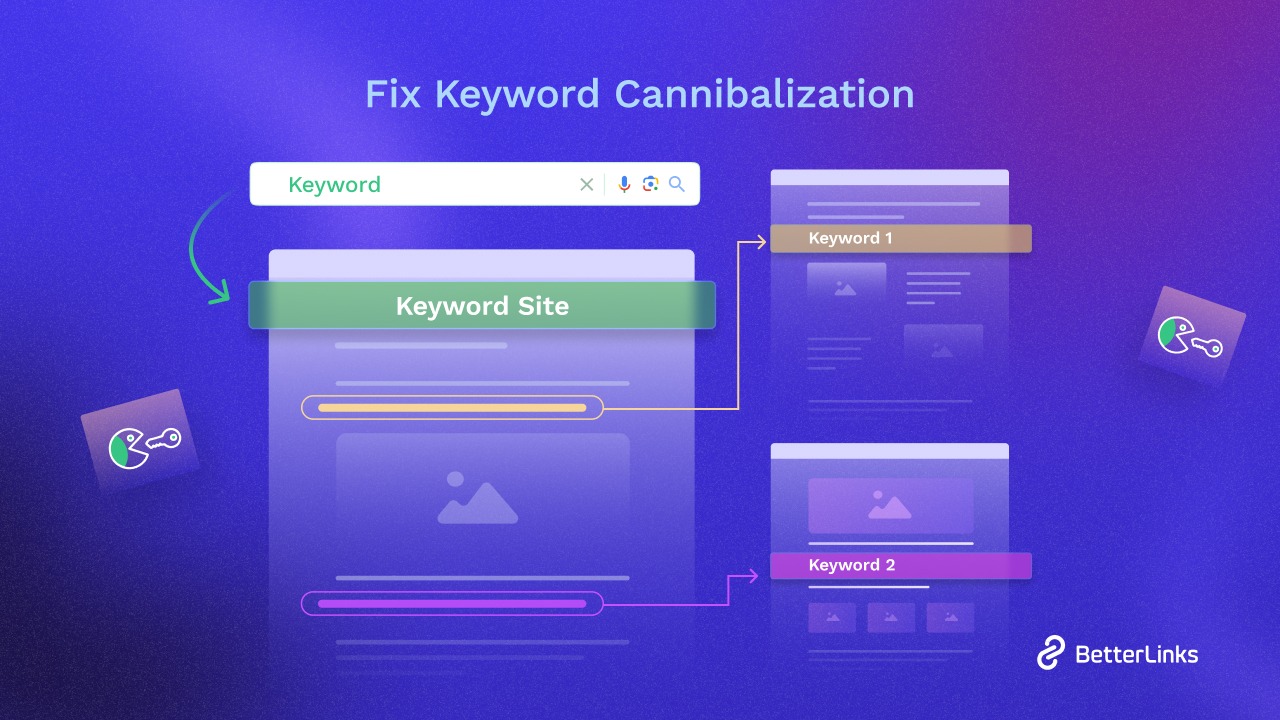
This problem shows up often in community SEO conversations around WooCommerce, especially when products are very similar or when merchants do not separate category intent from product intent. The result is classic cannibalization: several pages are relevant, but none of them become dominant.
How to fix it:
Create a keyword map before optimizing pages.
A simple structure works:
- Homepage: brand + broad commercial theme
- Category pages: high-volume generic commercial queries
- Subcategory pages: narrower query clusters
- Product pages: transactional long-tail queries and product-specific modifiers
- Blog content: informational intent
Then review each URL and ask: What is this page supposed to rank for that another page is not?
If you cannot answer that clearly, the page is probably overlapping with something else.
Expert tip:
The goal is not to rank more pages for the same phrase. The goal is to own more search intent across the funnel.
Mistake #6: Missing or Incomplete Product Structured Data
Structured data is one of those areas where stores think, “My SEO plugin probably handles it,” and then never validate anything. That is a mistake.
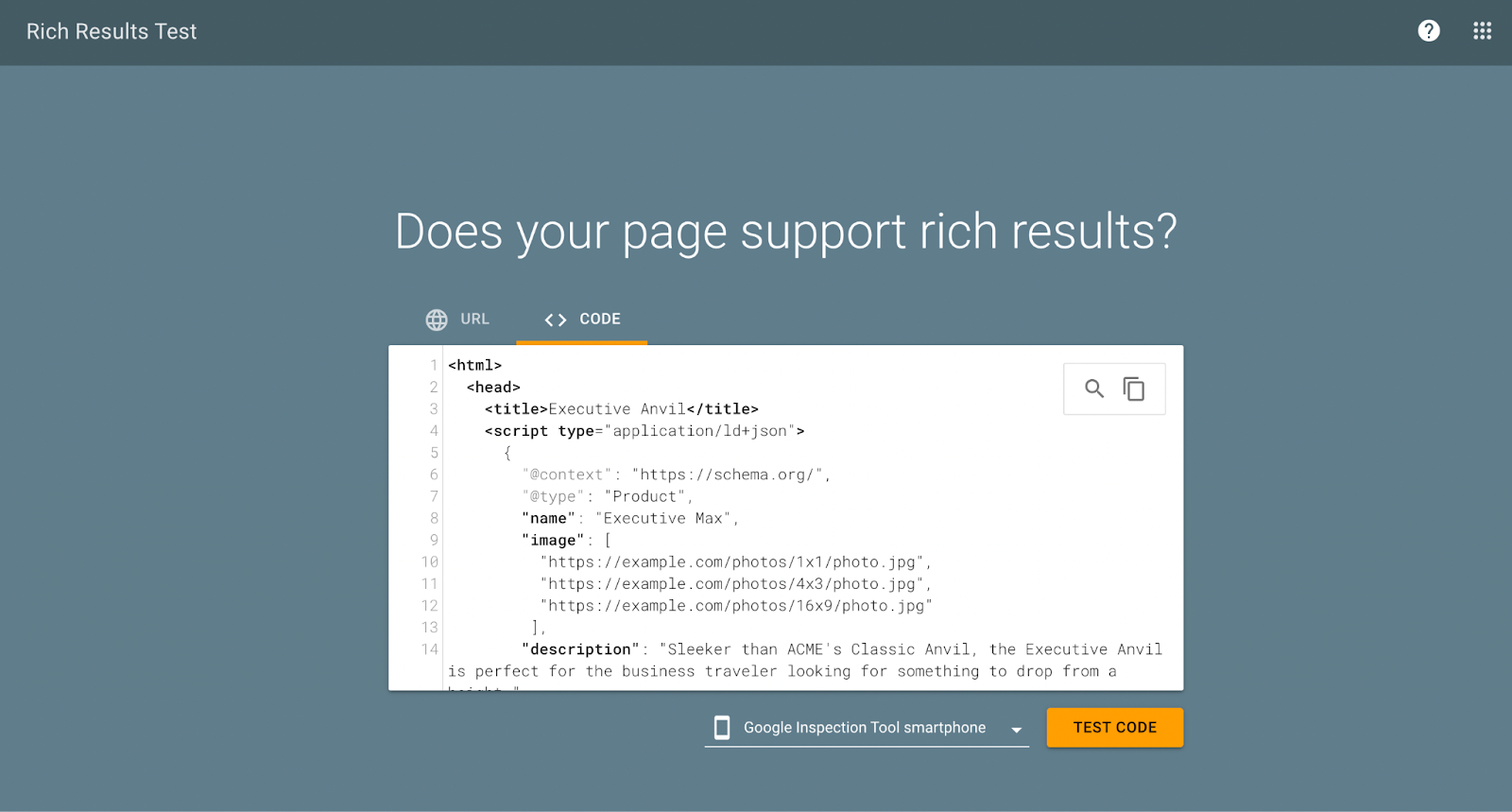
Google states that adding product structured data can make a page eligible for richer search results, including product information such as ratings, review info, price and availability. Google supports structured data around Product, Offer, AggregateOffer, Review, and AggregateRating for product-related enhancements.
How to fix it:
Audit your product schema. Make sure key pages expose accurate information, such as:
- Product name
- Price
- Currency
- Availability
- Review data, if real and allowed
- Variant-specific information where appropriate
Then validate it. Do not assume. Test important product templates regularly, especially after theme updates, plugin changes, or custom development.
Expert tip:
Schema does not guarantee rankings. But a broken or incomplete schema can absolutely waste rich result opportunities you should have earned.
Mistake #7: Weak Internal Linking And Missing Breadcrumb
A WooCommerce store can have hundreds or thousands of pages. Without smart internal linking, your strongest pages end up doing all the work while deeper commercial pages stay under-discovered or under-prioritized.
This mistake often shows up in stores where products are isolated, category pages are bland, and related product sections are random rather than strategic. Google’s canonical guidance also reinforces the importance of linking consistently to canonical URLs, which makes internal link structure part of the bigger SEO picture.
How to fix it:
Use internal linking intentionally:
- Add clean breadcrumbs on product and category pages
- Link from category copy to subcategories and featured collections
- Link from blog posts to relevant categories and products
- Use “related products” based on intent, not just automation
- Make sure your navigation supports the discovery of your highest-value commercial pages
Breadcrumbs help users, and they also help search engines understand hierarchy.
Expert tip:
A store with great products but weak internal linking feels to Google like a warehouse without signs.
Mistake #8: Treating Category Pages Like Empty Shelves
A major WooCommerce SEO mistake is optimizing product pages while ignoring category pages. But category pages often have more ranking potential because they match broader commercial-intent queries.
Too many WooCommerce stores leave category pages with:
- No intro copy
- No unique title strategy
- No helpful filters or content context
- No supporting FAQs
- No merchandising logic
That makes them weak landing pages, even if they are the pages most likely to rank for category-level terms.
How to fix it:
Turn category pages into real landing pages.
Include:
- A unique, keyword-focused H1
- Short but useful introductory copy
- Clear product grouping logic
- Descriptive subheadings where it makes sense
- Helpful FAQs or buying guidance
- Internal links to subcategories, bestsellers, or related collections
This is where you bridge SEO and conversions. Good category pages rank better because they are also better shopping pages.
Expert tip:
Do not write category text to satisfy a plugin score. Write it to help someone choose faster.
Mistake #9: Ignoring Page Speed and Core Web Vitals
You can have strong keywords, good content and clean technical SEO and still underperform if product pages are slow, jumpy, or clunky to use. Google defines Core Web Vitals as metrics that measure real-world experience for loading, responsiveness and visual stability, and specifically recommends achieving good Core Web Vitals for success with search. The three metrics are LCP, INP and CLS.
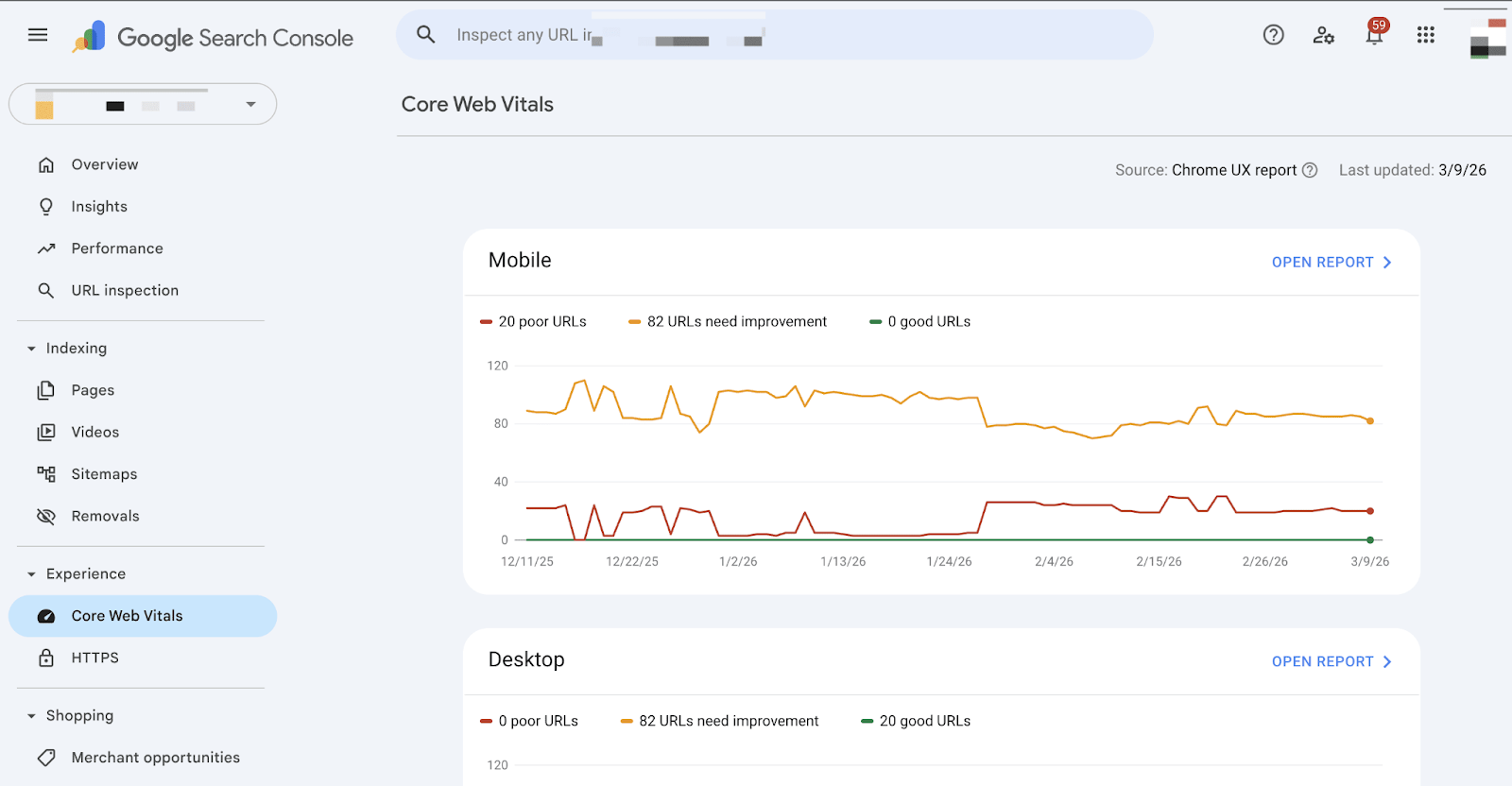
WooCommerce sites often struggle here because of large images, bloated themes, too many apps or plugins, cart scripts on every page, heavy sliders, third-party review widgets and unoptimized JavaScript.
How to fix it:
Focus on the pages that matter most: top categories, top products, cart, and checkout.
Start with:
- Compressed and properly sized product images
- Lightweight theme choices
- Better caching and CDN setup
- Delayed or reduced third-party scripts
- Smarter plugin usage
- Layout stability for image galleries and review modules
- Testing real product templates, not just the homepage
Expert tip:
In WooCommerce, speed issues are rarely caused by one dramatic problem. They are usually caused by ten “small” ones that pile up on product templates.
Mistake #10: Forgetting About Sitemaps, Indexing And Technical Maintenance
Sometimes the issue is not rankings. It is visibility. Pages simply are not being surfaced to search engines the way they should be.
This happens more often than many store owners realize. In a WordPress.org support thread, a user found that WooCommerce products and categories were missing from the XML sitemap, and the issue ended up being caused by a plugin conflict. The discussion also confirms that if products are set to show in search results, they should have indexable status and their own sitemap entries.
How to fix it:
Run a technical SEO maintenance routine:
- Check that product and category pages are set to index if they should rank
- Confirm they actually appear in XML sitemaps
- Look for plugin conflicts after major updates
- Review Search Console exclusions and coverage reports
- Audit canonical tags after changing themes, SEO plugins, or permalink tools
- Make sure staging or parameter pages are not leaking into indexable environments
Expert tip:
The more plugins your WooCommerce store uses, the more often you should audit technical SEO after updates.
Frequently Asked Questions
1) Why are weird filter URLs showing up in Google Search Console?
2) Should filtered category pages be indexed?
3) Why are my WooCommerce products or categories missing from the XML sitemap?
4) Does assigning one product to multiple categories create duplicate content?
5) Should I use robots.txt to stop duplicate WooCommerce URLs from ranking?
6) What is the best permalink structure for WooCommerce products?
7) How do I avoid keyword cannibalization with similar products?
8) Should product variations be separate pages for SEO?
9) Why are my category pages or product tags showing duplicate titles?
10) Does product schema really matter for WooCommerce SEO?
Fix the Small Things Before They Become Ranking Problems
WooCommerce is not the problem. Loose SEO execution is. Most stores that struggle with rankings are not failing because they chose the wrong platform. They are losing visibility because their site structure sends mixed signals: duplicate archives, bloated filter URLs, thin category pages, weak product copy, missing schema, or technical settings that quietly block important pages. Once those issues stack up, even good products have a hard time earning the visibility they deserve.
If you are interested in learning more about WordPress, WooCommerce and other plugins, do not forget to subscribe to our blog and join our Facebook Community.