Ever noticed the creative, colorful, and eye-catching popups that appear when you’re about to leave a website asking you to stay a little longer or subscribe to newsletters? If yes, then you have already come across exit intent popups and know why they are the perfect way to boost conversion on your WordPress websites.

Exit-intent popups are hard to miss and will help you grab your site visitors’ attention within seconds. If you are targeting to grow your business conversions, then these popups are the perfect strategy to:
🎯 Grow engagement with your audience
🎯 Boost email opt-ins rates and subscriptions
🎯 Prompt users to make a purchase
🎯 Collect instant feedback from users
🎯 Skyrocket conversion rates by turning to abandoned visitors
In this blog, we are going to take a closer look at what exit-intent popups are, what the best practices are to use them, and then list the top 5 best plugins to create them for your WordPress websites.
Boost Engagement & Conversion Rates With Exit Intent Popups

As marketers, one of your top priorities must be to attract and convert quality site trafficinto customers. But it is often quite difficult to get website visitors to subscribe to your email lists or even keep them engaged long enough to purchase from your company. And so, it’s essential to have a system or strategy in place to either keep customers engaged for longer or encourage them to purchaseand come back for more later.
This is exactly where exit intent popups come swooping in and boost engagement and conversions of your websites and online stores immediately. Exit-intent refers to identifying when a visitor is about to depart your website by tracking their mouse movements and scrolling patterns. So, exit intent popups are popups or banners that show up on your website screen when it detects that a visitor is about to leave.
If done correctly, these popups often engage your site visitors with hard-to-refuse offers. While we have already mentioned some of their most important use cases, we would like to inform you of more. With an exit-intent popup, you can save abandoned carts and increase your revenue by up to 30%. They are also a proven method to:
🎯 Reduce bounce rates
🎯 Reduce cart abandonment rates
🎯 Drive traffic to related blog posts, and much more.
According to recent research, the average conversion rate from popups is around 3.09%, while the top-performing ones can even raise conversions to 10%.
If you’re looking for a way to create engaging exit intent popups for your WordPress websites, then you have come to the right place. In this blog, we’ll show you some of the examples of popups used by famous brands and websites, tell you which factors to look out for when choosing the right exit popup plugin, give you our ultimate list of top picks, and give you few hacks on their customization. Let’s dive in to find out more.
5 Exit Intent Popup Examples From Top Sites To Take As Inspiration
Most brands and large businesses use personalized, stunning popups to keep their users engaged and wanting more. So, let us look at some clever and eye-catching popup examples from well-known company websites that you can take inspiration from.
1) Elementor
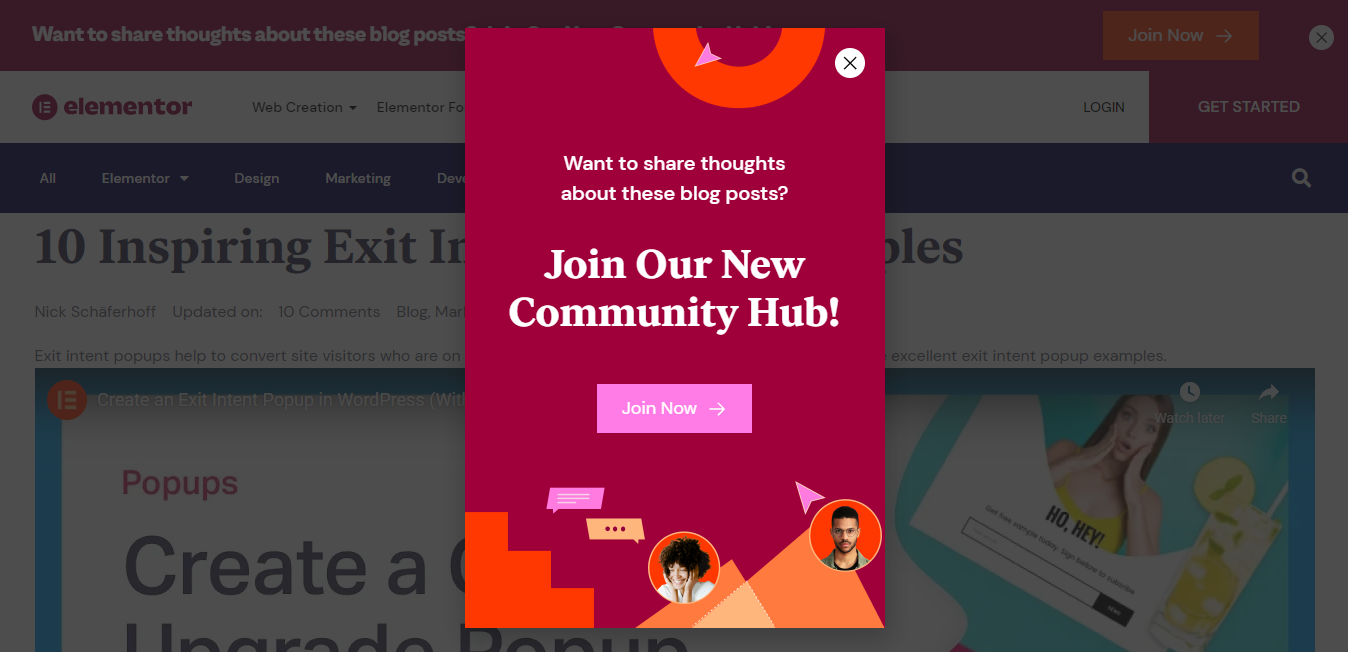
Elementor, one of WordPress’s top page builders, keeps its popup on brand by matching the bold colors of its website layout with its popup’s designs. It alternates the layout and context of their popups based on ongoing campaigns, users’ preferences and which pages or posts the user visits, and more.
As we can see from the image above, the popup addresses Elementor’s community hub and prompts visitors to join and share their opinions.
2) Essential Blocks
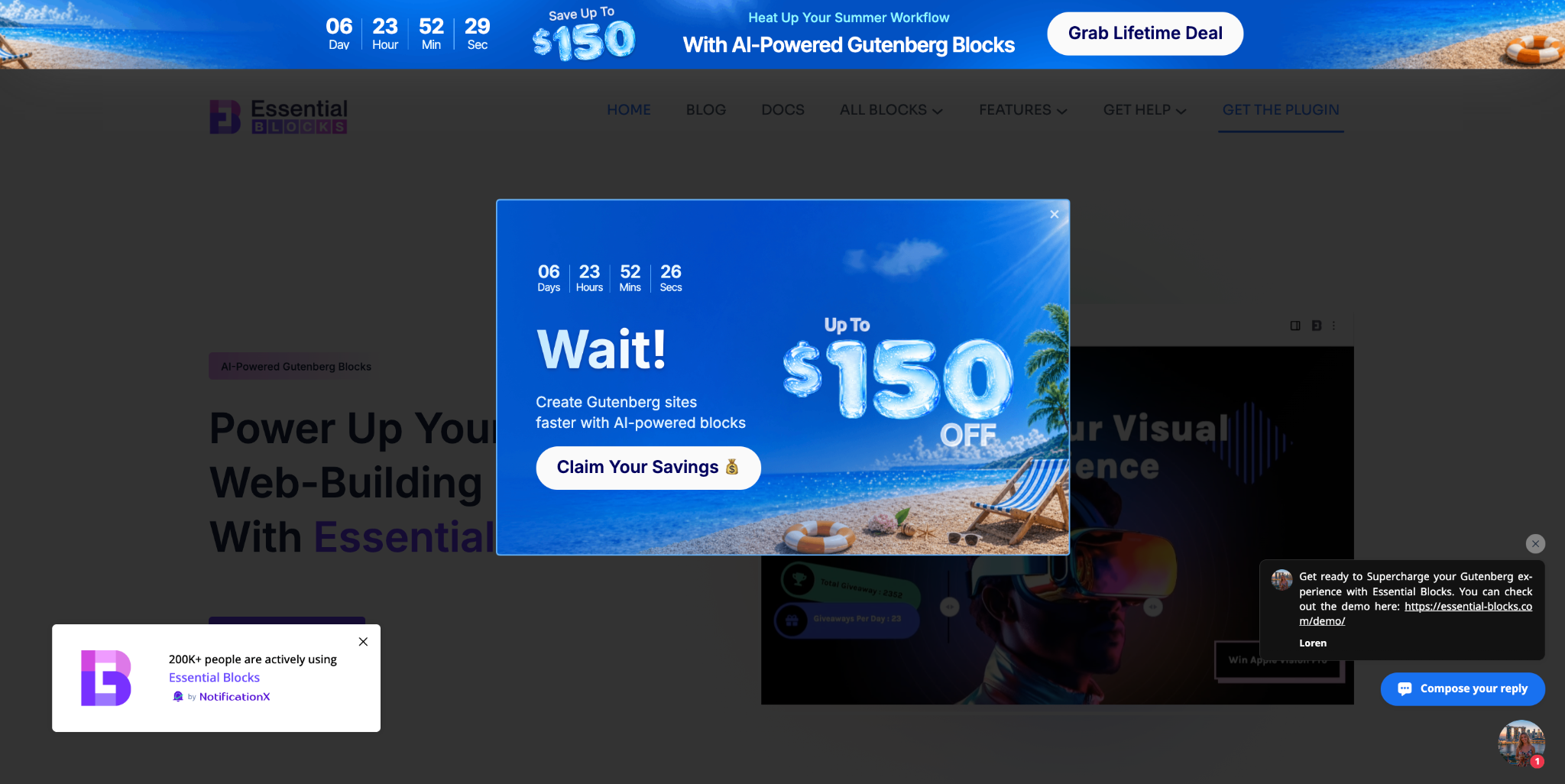
Essential Blocks, one of WordPress’s most powerful Gutenberg block plugins, keeps its exit-intent popup timely and conversion-focused by aligning it with active seasonal sale campaigns. The popup design features a vibrant summer aesthetic, complete with a beach backdrop, bold discount callout, and a countdown timer, creating a sense of urgency that nudges visitors to act before the deal expires.
As we can see from the image above, the popup intercepts visitors with an up-to-$150 off offer, pairing a bold “Wait!” headline with a clear CTA, “Claim Your Savings”, designed to recapture attention and drive immediate clicks before users navigate away.
3) GQ Magazine
GQ magazine takes a striking and eye-catching approach for their popup. With an attractive photo and bold colors, the magazine personalizes each popup depending on what content the reader was recently visiting.

4) Xero Shoes
Xero Shoes makes their popup impossible to miss because inside of a ‘middle-of-the-screen’ approach like regular popups, they use a full-screen exit intent popup.

The popup also shows a man creating an ‘X’ in the air and offers viewers a $100 gift certificate that will make any abandoning customer’s head turn. But most importantly, Xero Shoes uses FOMO marketing strategies in their popup to create a sense of urgency by setting an offer expiration time.
5) Shein
Similarly, if a user tries to leave the product page or checkout cart for Shein, their popup alert shows up on-screen offering special discounts and a CTA button with clever content.
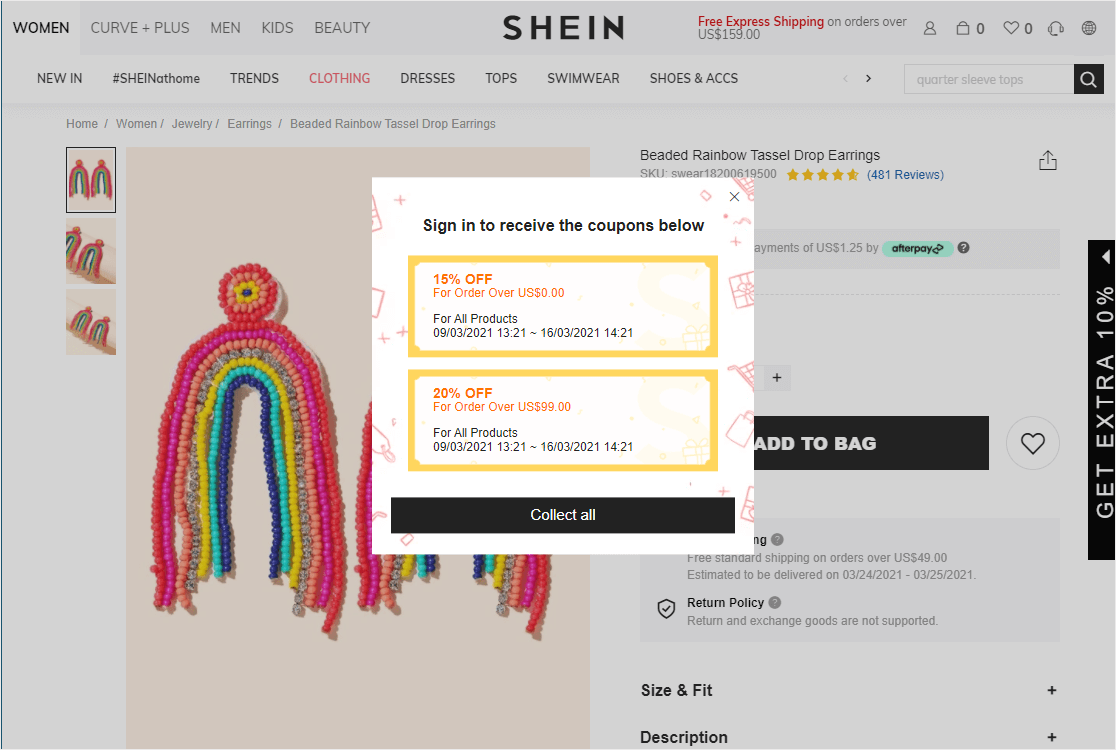
Not only that, they also use strategies to show the date and time period during which the offer will stay valid for the customer. This gets visitors to sign in to their accounts and add to the website’s conversion list instantly.
6) Levi’s
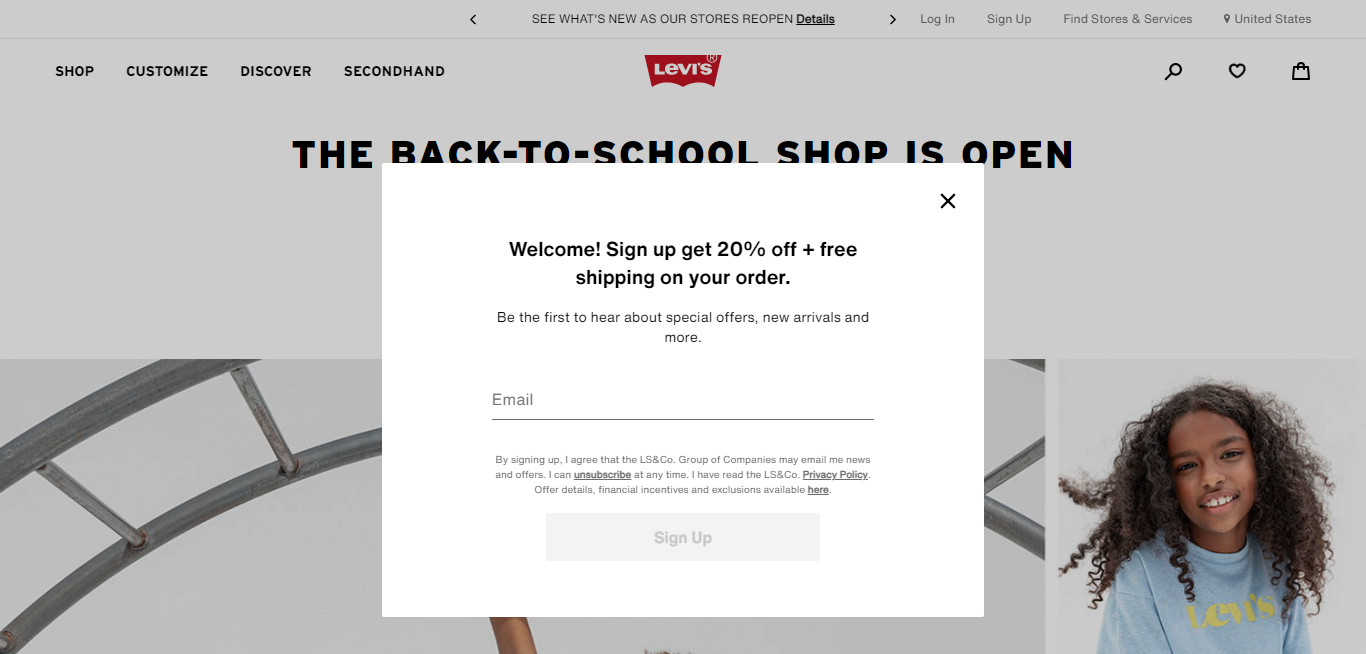
Levi’s customizes their exit intent popups to grab attention instantly even with a minimal design. Not only do they offer an amazing 20% discount, but they also provide free shipping facilities to all new subscribers.
These examples given above were only a few among thousands of exit intent popups used by different brands. As you can see, there are no rules to creating attractive popups – they can be vibrant and colorful or minimal and to the point. The best practice to create top-performing popup alerts is to match the designs and content to your brand.
Things To Keep In Mind When Choosing An Exit Intent Popup Plugin
While exit intent popups are a proven method to get your customers to spend a little more time and thought on your website, they can sometimes annoy your consumers if not executed correctly.

This is why you need to choose a plugin that is capable of targeting the right customers at the exact right time. Popups that aren’t targeted correctly will simply irritate your visitors and do more harm to your business than help. We’re talking about those generic popups, or untargeted ones, that aren’t timed appropriately and show up while a customer is reading an important piece of content. It can also include popups that offer nothing interesting to change your abandoning visitors’ minds.
Therefore, here is a list of some important factors that you need to look out for before choosing an exit intent popup plugin for your WordPress websites.
✅ Targeting: The right popup plugins offer advanced audience targeting and personalization features, that can accurately detect cursor movements and time spent on a web page.
✅ Ease of use:You should choose plugins that have a simple, user-friendly interface and easy-to-use features. This can be drag and drop facilities and responsiveness for mobile phones.
✅ Templates: The better exit intent popup plugins come with a wide range of templates that you can easily implement without any extra coding. It should also allow adding customization and personalized designs.
✅ Integration: Your chosen popup plugin should integrate seamlessly with WordPress websites and your email marketing services, like MailChimp, among other platforms.
✅ Analytics: Choose a plugin that offers to provide you with insightful data and analytics about conversion rates and more.
✅ Responsiveness: Best exit intent popups should be able to detect audience movements in mobile devices as well. You must choose a plugin that is able to identify and target back scrolling with precision.
5+ Best Exit Intent Popup Plugins For WordPress To Generate Maximum Leads
Now that we have established how these popups can help your websites maximize conversions, learned about the best practices to use them and viewed some examples, you’re ready to choose one for yourself. Let’s look at our top picks for the best exit-intent popup plugins for WordPress.
1) NotificationX
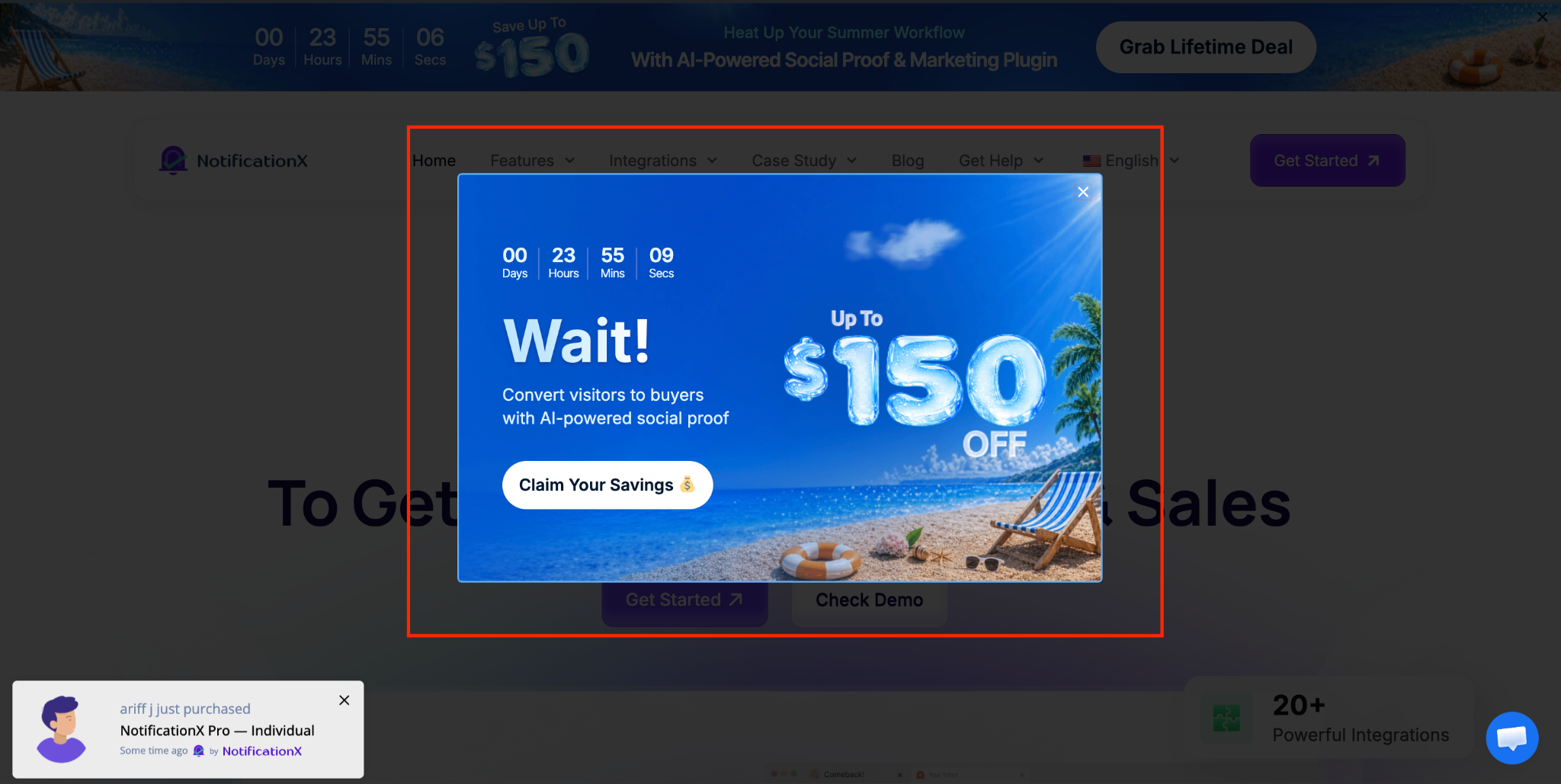
NotificationX is best known as a social proof and FOMO notification plugin, but its Exit Intent Popup feature makes it a genuinely useful conversion tool for WordPress sites. When a visitor moves their cursor toward the browser bar, signaling they are about to leave, NotificationX detects the behavior and instantly displays a targeted message, whether that is a discount, a lead magnet, an announcement, or a video-based offer. The whole setup lives inside your WordPress dashboard with a guided workflow: choose the source, pick a theme, add your content and control visibility, no custom development needed.
What gives NotificationX an edge is how much control it packs into a simple interface. Beyond basic design options, you get Advanced Design settings to fine-tune overlay color, popup width, typography, button styling and close button color. The content side is just as flexible; you can set a video thumbnail, badge text, headline, subtitle and video URL, making it useful for a wide range of campaign types. On top of that, trigger sensitivity, mobile visibility, audience targeting and display timing are all configurable before you publish.
For marketers who want to reduce bounce, recover cart abandoners, or capture leads without stitching together multiple tools, NotificationX keeps the workflow tight.
To learn more, check the post: Exit Intent Popup: A Smart Way to Recover Leaving Visitors on WordPress
2) Elementor Popup Builder
If you are an avid Elementor user for WordPress, you will be glad to know that Elementor PRO has its own Popup Builder feature that enables you to create amazing exit intent popups with ease.
Elementor’s Popup Builder gives you pre-built templates, with precise targeting features – page-based, time-based, device-based & visitor-based targeting, behavior-driven targeting. You also get to customize the design of your popups with all of the page builders’ other features and widgets. You can also choose which pages or posts where you want to show your popups. You can also choose categories for your popups with Elementor.
Since the popup builder is built into WordPress, you can use it to make popups for any WordPress page, even if the page isn’t made using Elementor. Moreover, you can easily incorporate data, images, posts, and other content, and integrate with email services with this amazing plugin.
Essential Addons for Elementor is another popular WordPress plugin that facilitates Elementor users with many amazing, drag and drop widgets. One among them is the ‘Lightbox and Modal’ widget, which you can effortlessly add to your editor and create stunning popups. It even lets you set the desired trigger actions, add animation, and set the layout
3) HubSpot

Next, we have HubSpot on our list of top exit intent popup plugins for WordPress. It is a powerful CRM, email marketing, forms, and analytics plugin with over 200,000+ active installations.
This popular plugin also consists of a user-friendly, drag-and-drop interface that comes with a few ready templates. There are three different styles of popups that you can choose from box, banner, or slide-in types. It can also be integrated with several marketing tools.
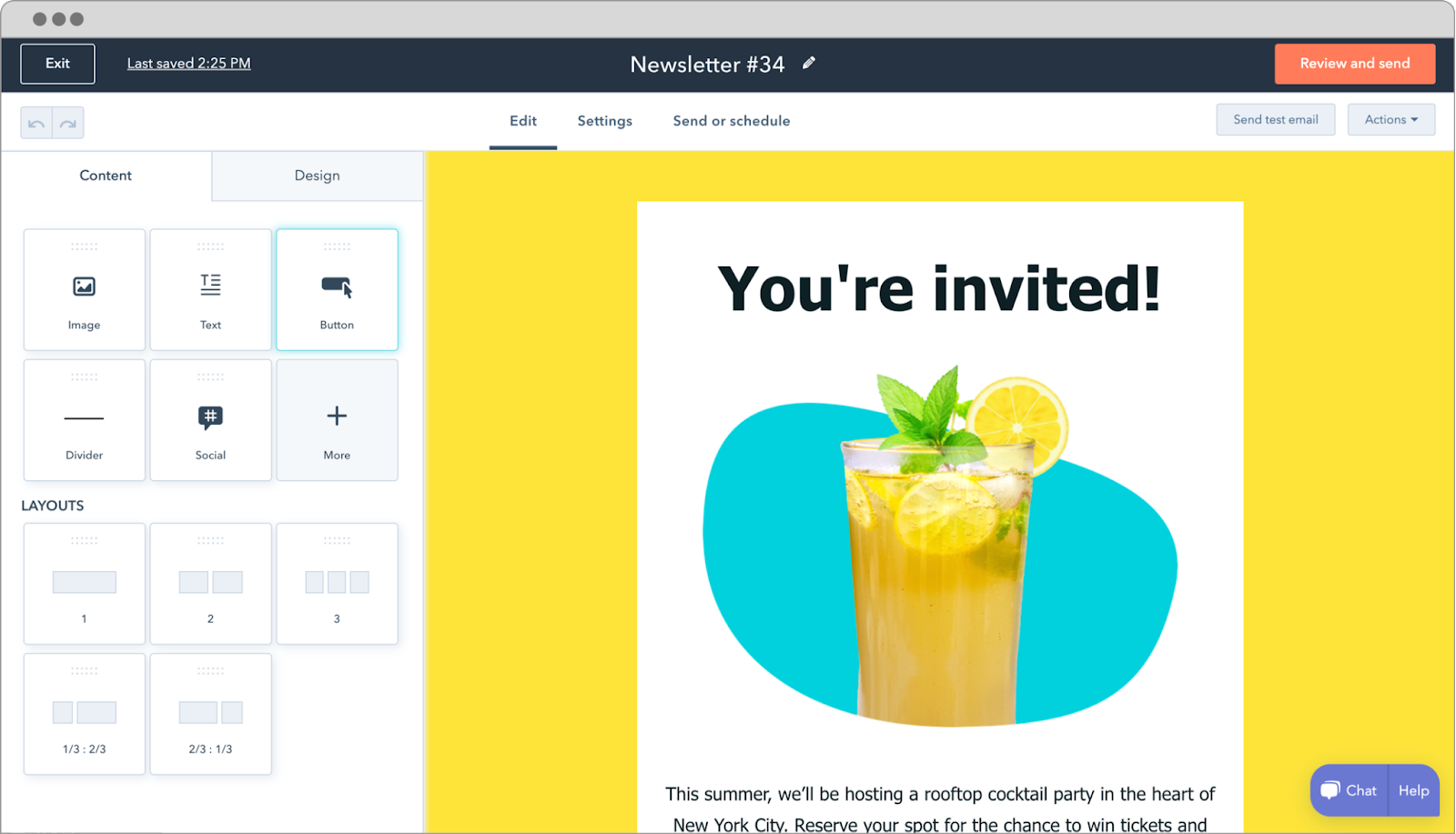
As for customization, you get the flexibility to change colors, edit texts and apply images as you want to make the forms and popups grab site visitors’ attention immediately. HubSpot also empowers you with built-in marketing analytics that can be easily viewed from an easy-to-understand dashboard.
4) ConvertForce
ConvertForce is a Gutenberg-native WordPress popup plugin that lets you create exit-intent lightbox popups directly inside the WordPress block editor. Instead of using a separate popup builder, you can design the popup with familiar blocks like headings, images, buttons, columns, videos, and custom HTML.
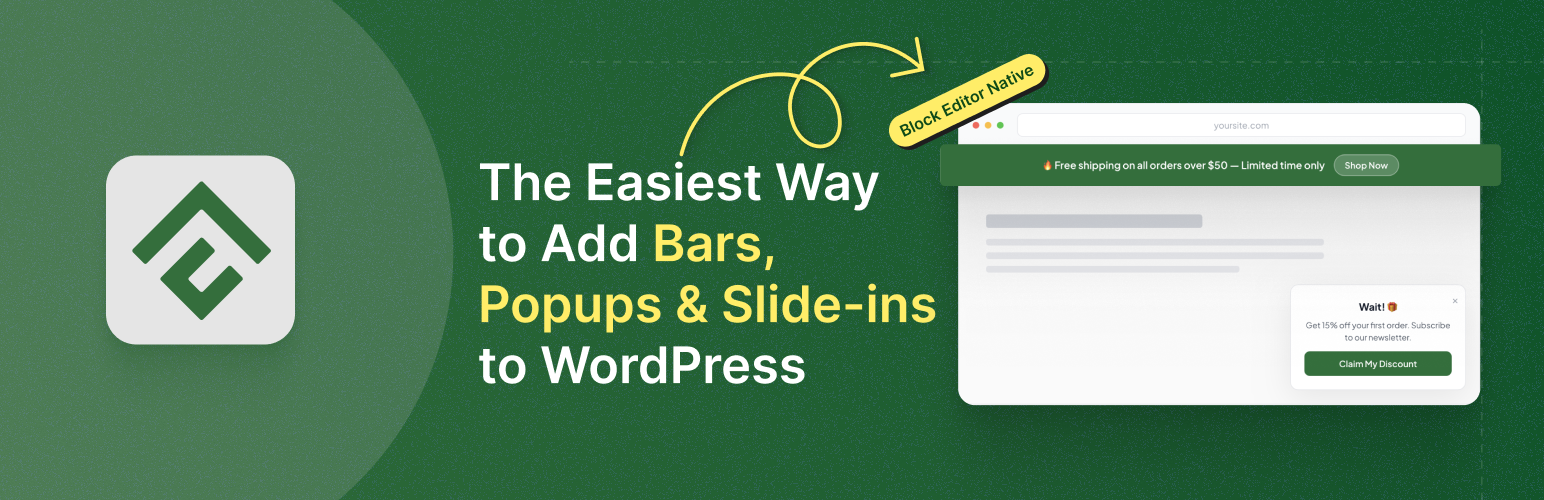
Its exit-intent trigger detects when desktop visitors move their cursor toward the browser bar or close button. For mobile visitors, ConvertForce can detect a rapid upward scroll gesture as possible exit behavior. You can also set minimum time-on-page, choose where the popup appears, and target the entire site, specific pages, posts, or post types.
Display frequency and close behavior settings are also available, making ConvertForce a simple, block-editor-friendly option for creating last-minute offers, lead magnets, newsletter signups, and promotional popups.
The popup offers its viewers the best grooming tips and promises users no more bad hair days, grabbing attention with a stylish photo of famous actors.
5) Popup Builder

With more than 200,000 active installations, Popup Builder comes next on our list. It comes with many popup types, conditions, and events that can surely boost your WordPress website conversion rates instantly. You can create high-converting, promotional and informative popups and forms within minutes. Popup Builder takes customization a few steps further by allowing its users to work with custom JS/CSS coding.
It allows you to use various types of popup that are both available as free or premium to WordPress users with 28+ premium features. Regardless of which type you prefer, none of the exit intent popups created require any external coding and can be created quickly and efficiently.
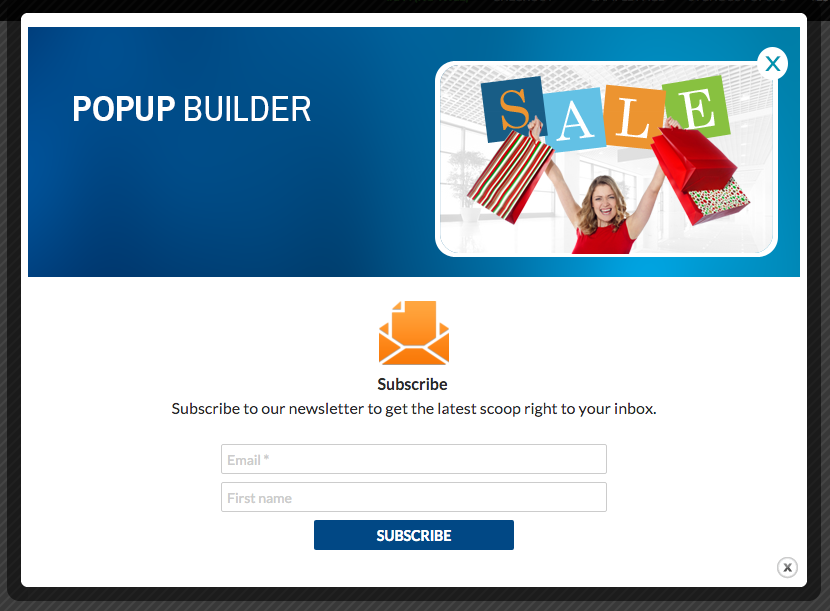
Popup Builder also allows integration with many different marketing and email services, such as WooCommerce, MailChimp, Contact Form 7, and many more. Moreover, Popup Builder allows you to create and display striking popups on not only on one web page, but also on multiple sites.
6) Icegram
Finally, on our list, we have Icegram – an advanced, feature-rich email marketing and retargeting solution for WordPress. This impressive plugin not only boosts your email list but will also boost your clicks, leads, and conversions immediately.
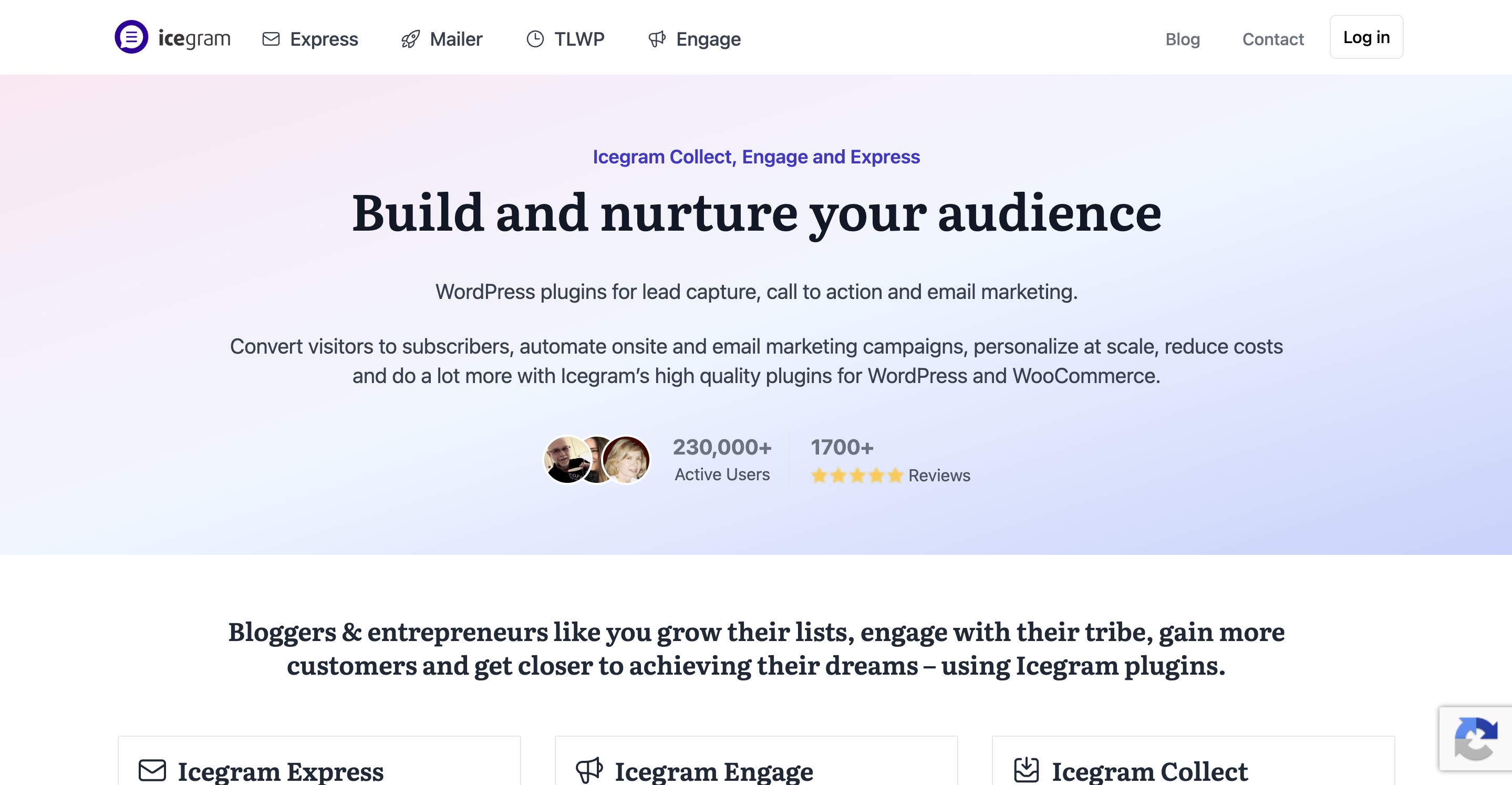
With Icegram, you can create unlimited, stunning exit intent popups of many types. These popups and lightboxes are always well-targeted and optimized for conversion. You can easily customize them however you need with multiple theme designs and styles.
Icegram gives you smooth integrations with email marketing tools such as MailChimp, Email Subscriber by Icegram, Campaign Monitor, and more. You also get powerful display targeting rules with this plugin that allow you to choose where and when you want to show the popup to your website visitors with ease.
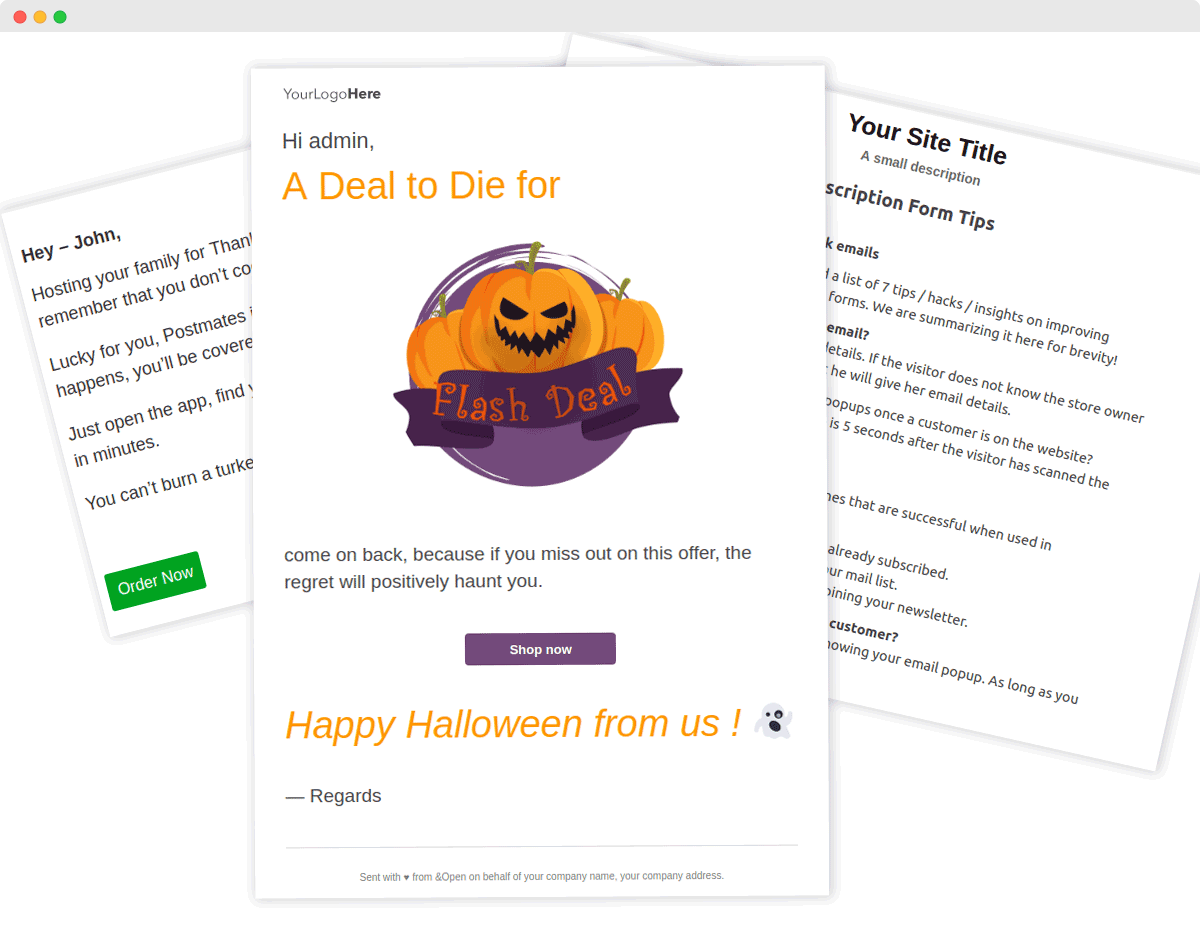
With Icegram PRO, there are many more premium features that will empower your to instantly grow your business. You can conduct split tests, enable behavior triggers and advanced targeting features, GEO targeting, analytics and much more. Icegram is the perfect tool to track, analyze and boost your sales lead completely hassle-free.
And that concludes our ultimate list of the top 5 best exit intent popupsfor WordPress. Take a look at them all and decide for yourself which one is the perfect suit for your brand. And while you’re at it, take a look at some of the hacks to generate more conversionswith exit intent popups below.
Customize Your Exit Intent Popups For The Best Results
The exit intent popups should always have the proper context and have personalized touches that make the popups unique to your brand. Use relevant and enticing offers that are impossible to resist, so that even if a user is about to leave, the offer catches their eyes and makes them stay. But most importantly, create a clear, compelling content copy for the popup with attention-grabbing CTA buttons and designs.

We hope this guide was helpful to anyone planning to use exit intent popups on their WordPress websites. Give them a try, and let us know your experience with them on your sites by commenting below; we would love to hear from you.
To get more useful information about how to improve your WordPress websites and skyrocket their sales, subscribe to our blog. Also, join our friendly and helpful Facebook community to share your thoughts with other WordPress users and developers.