Exciting News: WordPress 7.0 “Armstrong” – named in honor of “Satchmo” himself, jazz musician Louis Armstrong – is now LIVE!
Only after a few months of releasing WordPress 6.9, the latest version has been released with some powerful and advanced features. In this release, the core focus is on AI connectors, the modernized dashboard, visual revision, content customization, new blocks, and much more. The version was released on May 20, 2026.
Are you excited to explore more of what is inside? Then keep reading.
WordPress 7.0: Glimpse of What You Will Find in “Armstrong”
The latest WordPress 7.0 release mostly focuses on AI connectors, refined customizability, new dashboard styles and an expanded developer toolbox. WordPress 7.0 “Armstrong” closed more than 420 enhancements and fixes. Like other releases, it is also focused on introducing new blocks to make the web-building experience smoother. The AI Connectors Screen and the Command Palette are also available in the latest version. Here is a short glimpse of what is included in WordPress 7.0 “Armstrong”.
- AI Connectors: AI powers WordPress 7.0 with a built-in client, Abilities API, smart connectors and an AI plugin for enhanced creation tools.
- Visual Revisions: Compare different versions of your pages visually, making it easier to track changes and choose the best design.
- Refreshed Admin Dashboard: A modern, cleaner look for wp-admin that keeps things familiar while feeling fresh.
- Enhanced Pattern Editing: Simplified workflows for updating layouts and managing content.
- New Blocks: Icons, Breadcrumbs and Heading blocks join the party, giving you more design flexibility.
- Responsive Controls: Show or hide blocks based on screen size for truly mobile-friendly designs.
- Video Embed Backgrounds: Use video embeds as backgrounds in the Cover block for more dynamic, eye-catching designs.
- Command Palette Shortcut: Streamlines the navigation and customization with a single click using the new command palette shortcut.
With over hundreds of enhancements and improvements packed into this release, WordPress 7.0 is clearly focused on making your website-building experience smoother and visually stunning.
How Does It All Work? Let’s Explore WordPress 7.0 “Armstrong” More
Now, since we got a glimpse of the feature, let us know more about what WordPress is trying to bring in the new release in action. In this section, we will explore more about the upcoming release.
Visual Revisions for Comparison
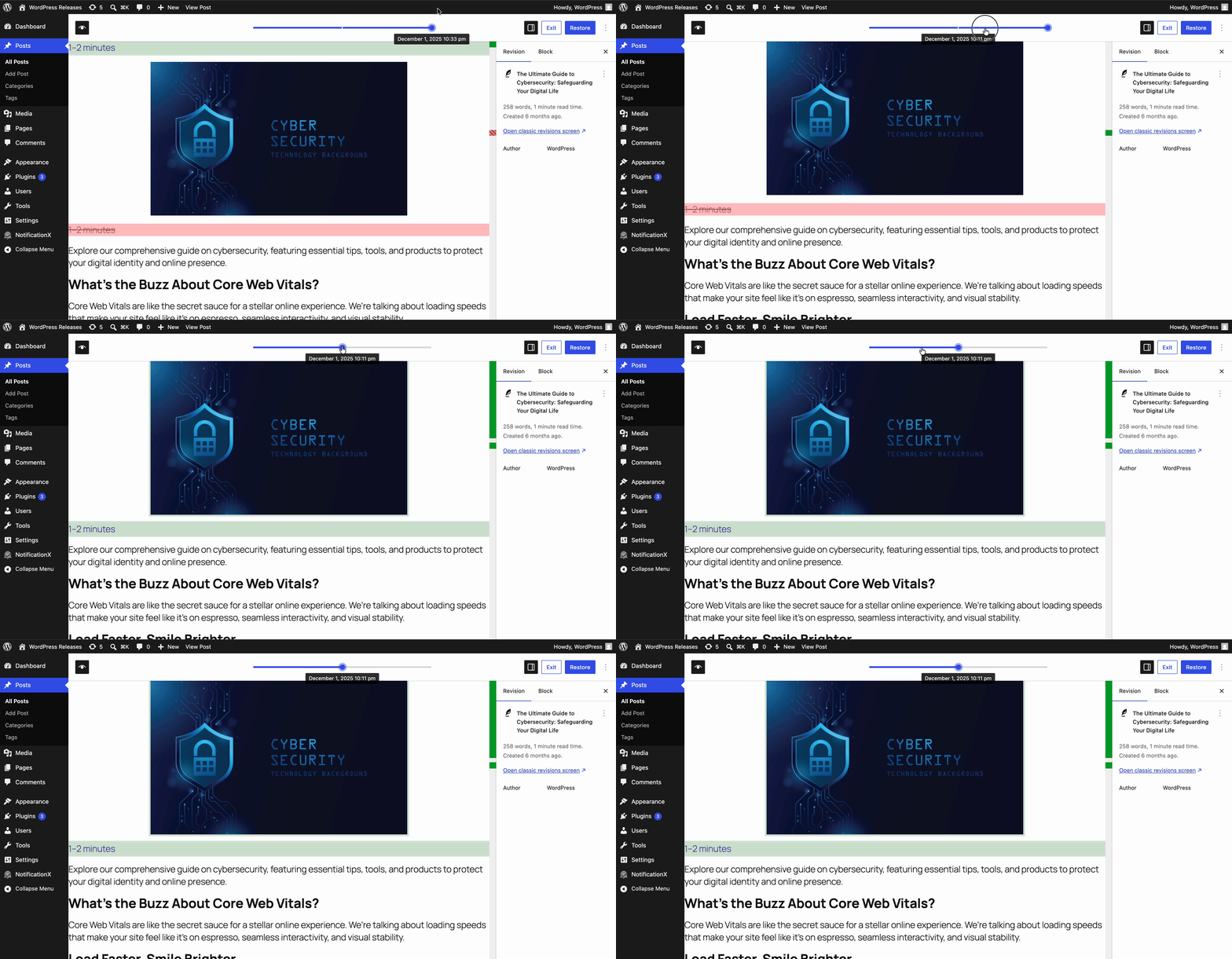
One standout feature is visual revisions. Instead of comparing revisions line-by-line in a text-based interface, you can now see visual comparisons between different versions of your pages right within the editor.
This makes it incredibly easy to track design changes, compare layouts and decide which version looks best, all without needing to publish and check the frontend.
Smooth View Transitions
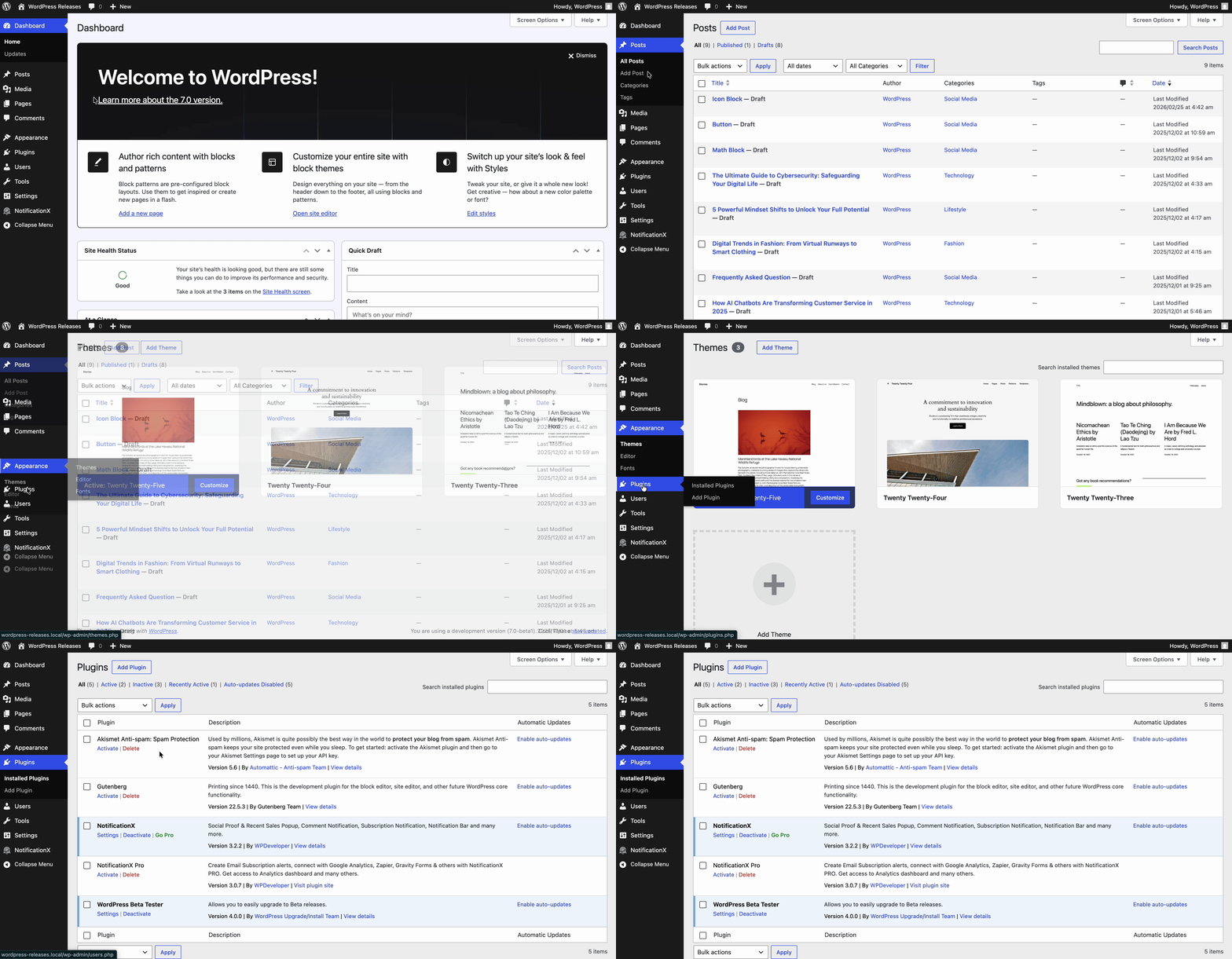
Moving around the WordPress dashboard is now more seamless thanks to view transitions. As you navigate from screen to screen, you will experience smooth, visually continuous transitions that make the entire admin experience feel more polished and professional.
These small touches might seem minor, but they add up to create a more enjoyable and efficient workflow.
New AI-Integrated WordPress
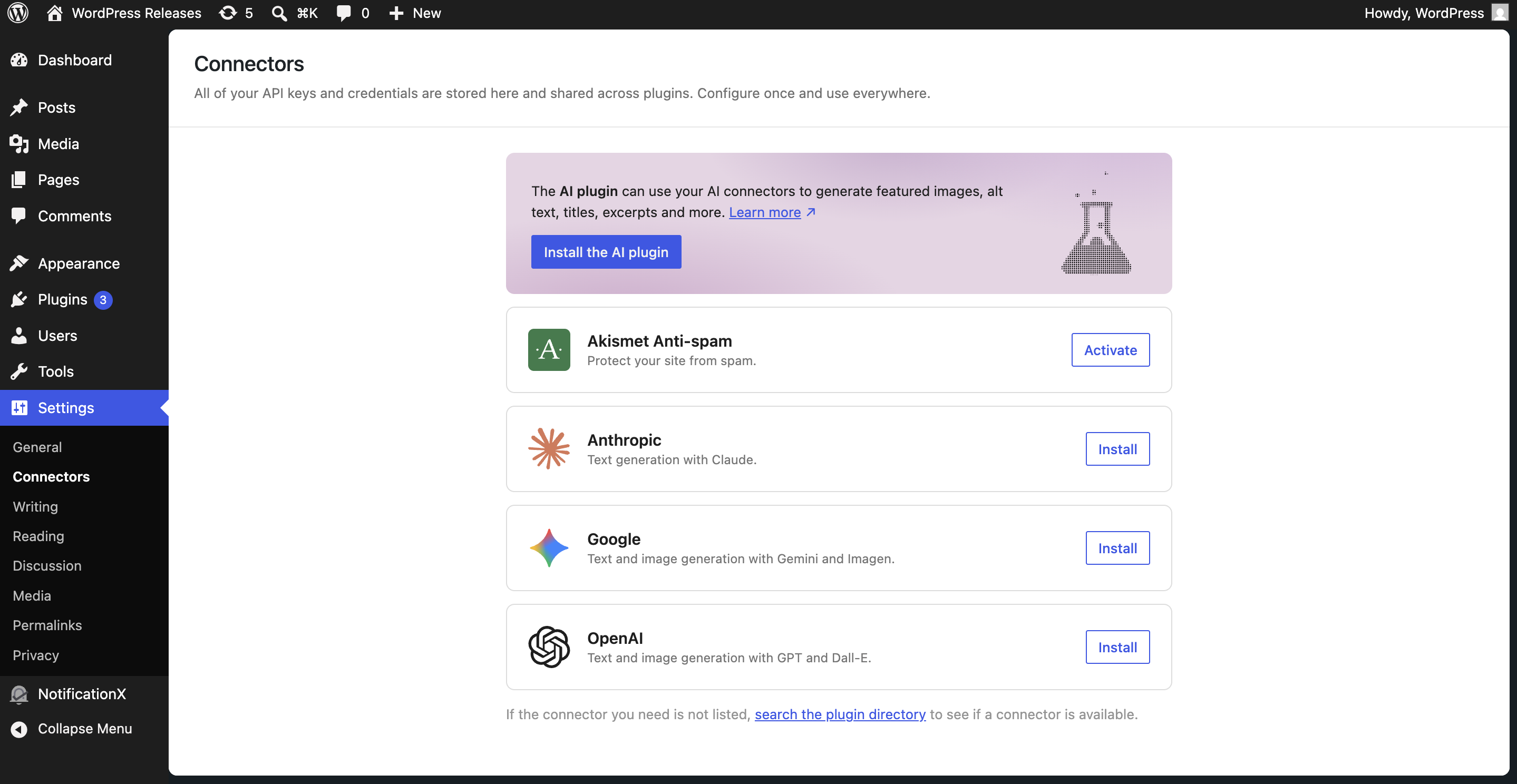
One of the most important updates that WordPress has brought in its latest release is AI integration. Now, manage all your external AI connections from one central hub, right inside WP Admin. Head to Settings > Connectors to get started. Easily add, remove, or update your connections anytime, all from a single, streamlined location. Here is what you should know about the latest AI connectors:
- AI Client in Core acts as WordPress’s direct connection to generative AI models, with all connections managed from a single dashboard hub.
- Paired with the Abilities API, it unlocks new functionality, automates workflows, and supercharges your site’s creation tools.
- The new AI plugin takes it even further, generating and editing images, crafting titles or excerpts, and getting smart alt text suggestions.
New Command Palette Shortcut
With the new Command Palette shortcut in the Omnibar, you can access all the tools you need with just one click. In version 7.0, logged-in editors will notice a ⌘K or Ctrl+K field in the upper admin bar. Clicking it opens the command palette instantly. This new entry point simplifies navigation and customization, allowing you to control different aspects of your site from anywhere.
All Your Fonts, One Centralized Home
Take full control of your typography from a single, dedicated font management page, no matter which theme you are using. Install, upload and organize your entire font collection with ease, now with seamless support for block, hybrid and classic themes.
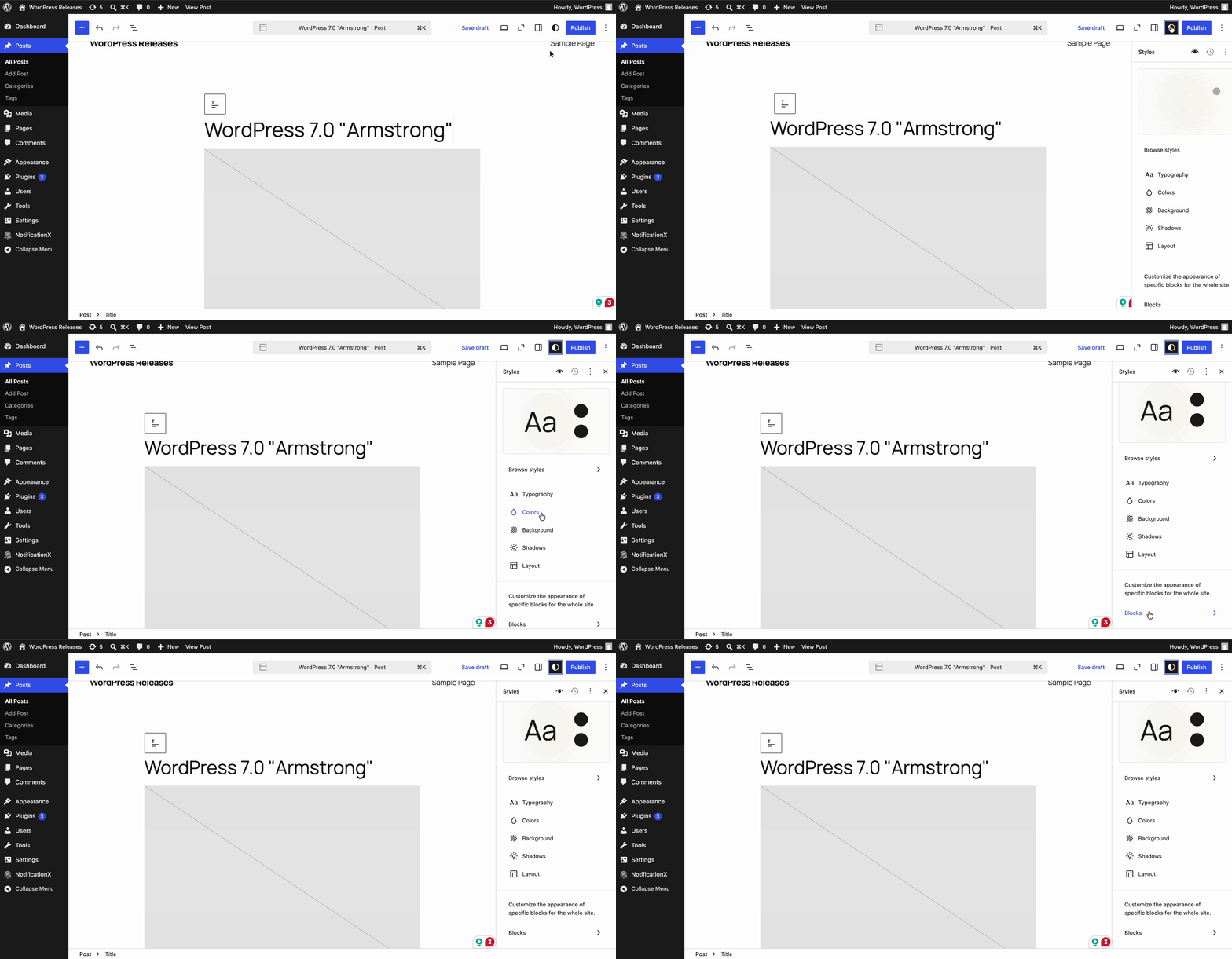
New Blocks And Design Options: More Creative Freedom
Like every WordPress release, it introduces new creative blocks that help builders create a unique website more efficiently. The recent WordPress release is not out of that. Let us have a look at WordPress 7.0.
🟢 Breadcrumbs & Icon Block
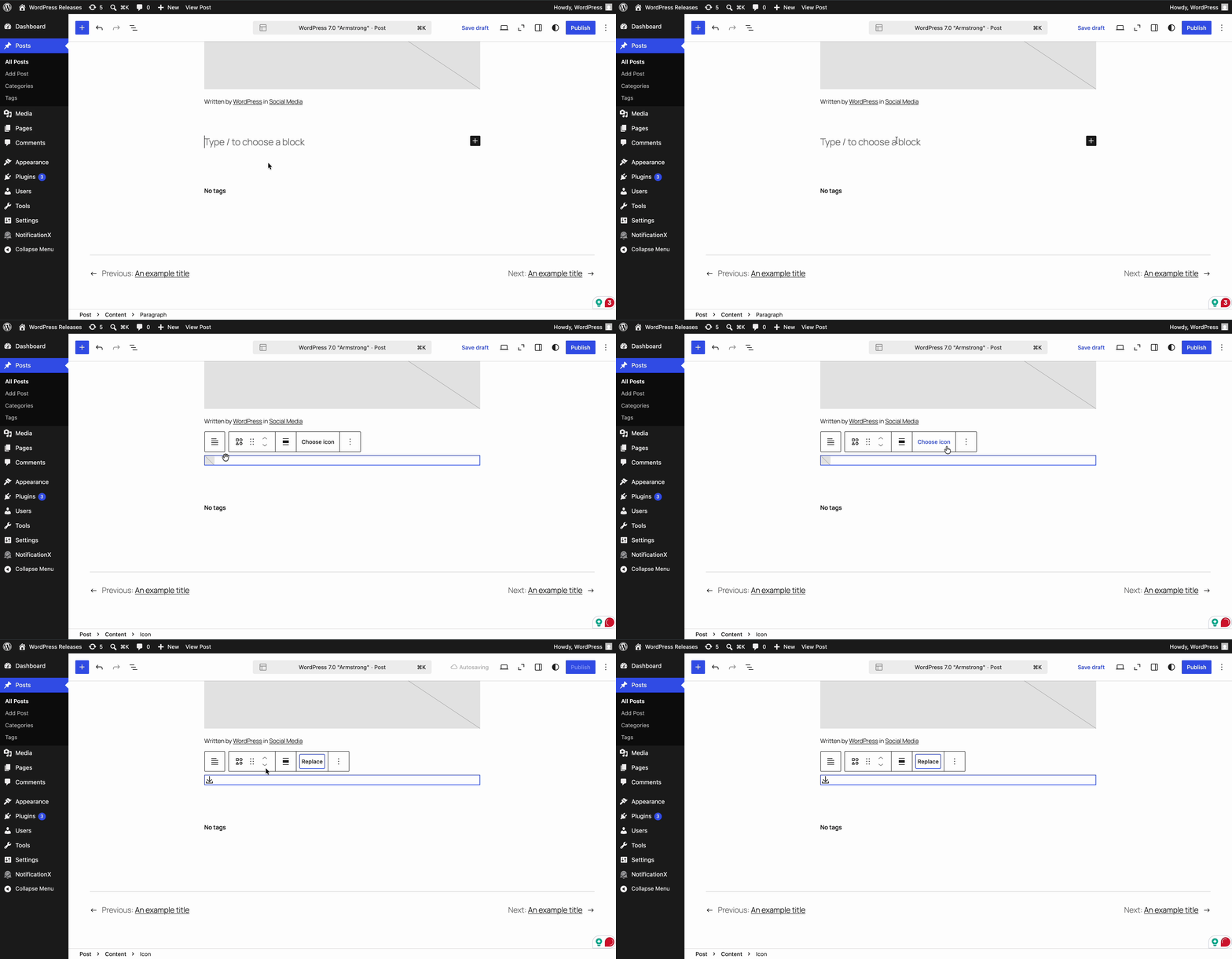
To make your web page more interactive and diverse, there are new Breadcrumbs and Icons blocks. Icons Block makes it easy to add beautiful, scalable icons to your pages. Breadcrumbs help users understand where they are on your site and improve both usability and SEO.
🟢 Heading Block Variations
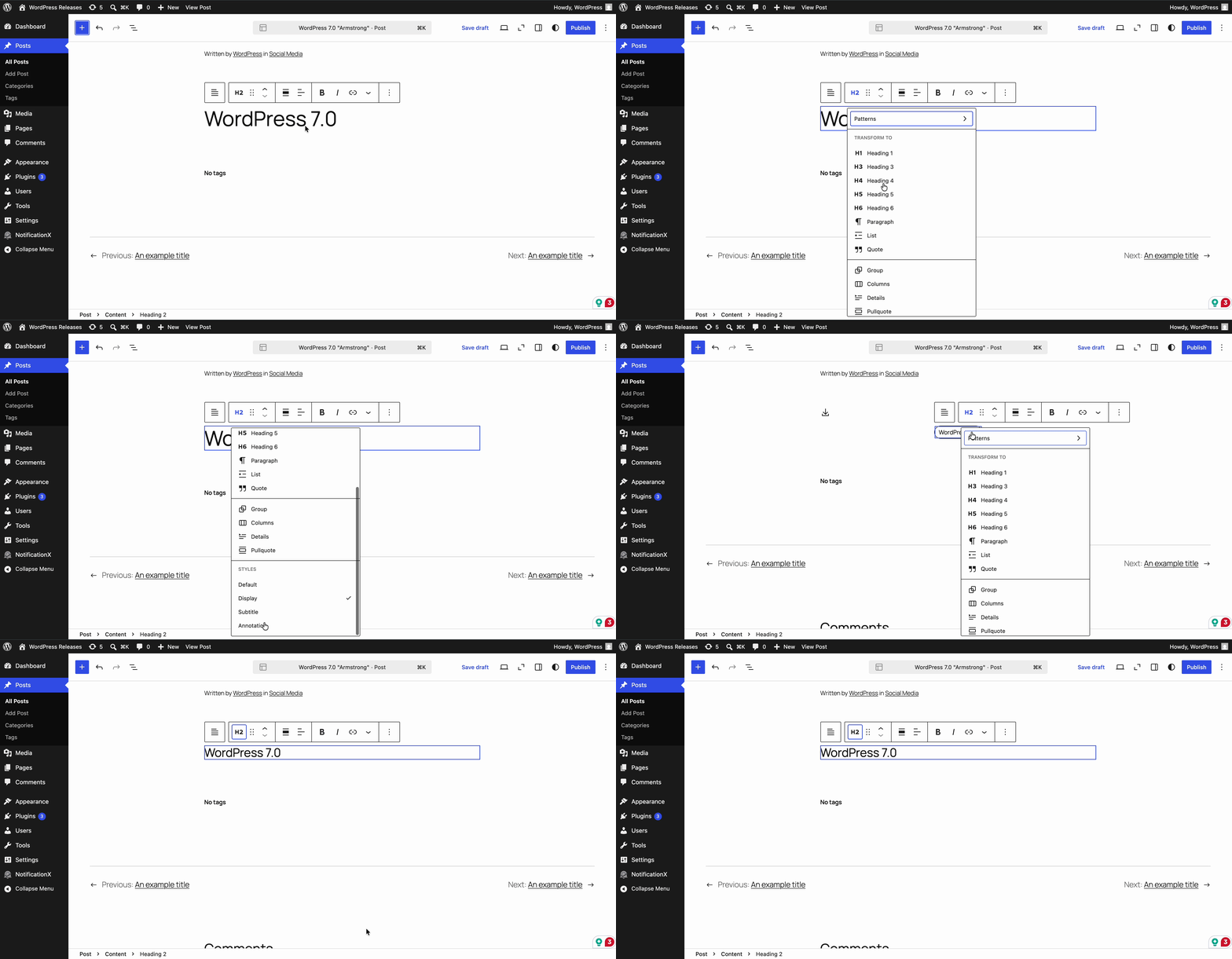
To maintain consistent styling across your site while allowing flexibility to change the heading, WordPress 7.0 introduces different heading block variations. It gives more control over page hierarchy and design.
🟢 Improved Navigation Block for Mobile Version
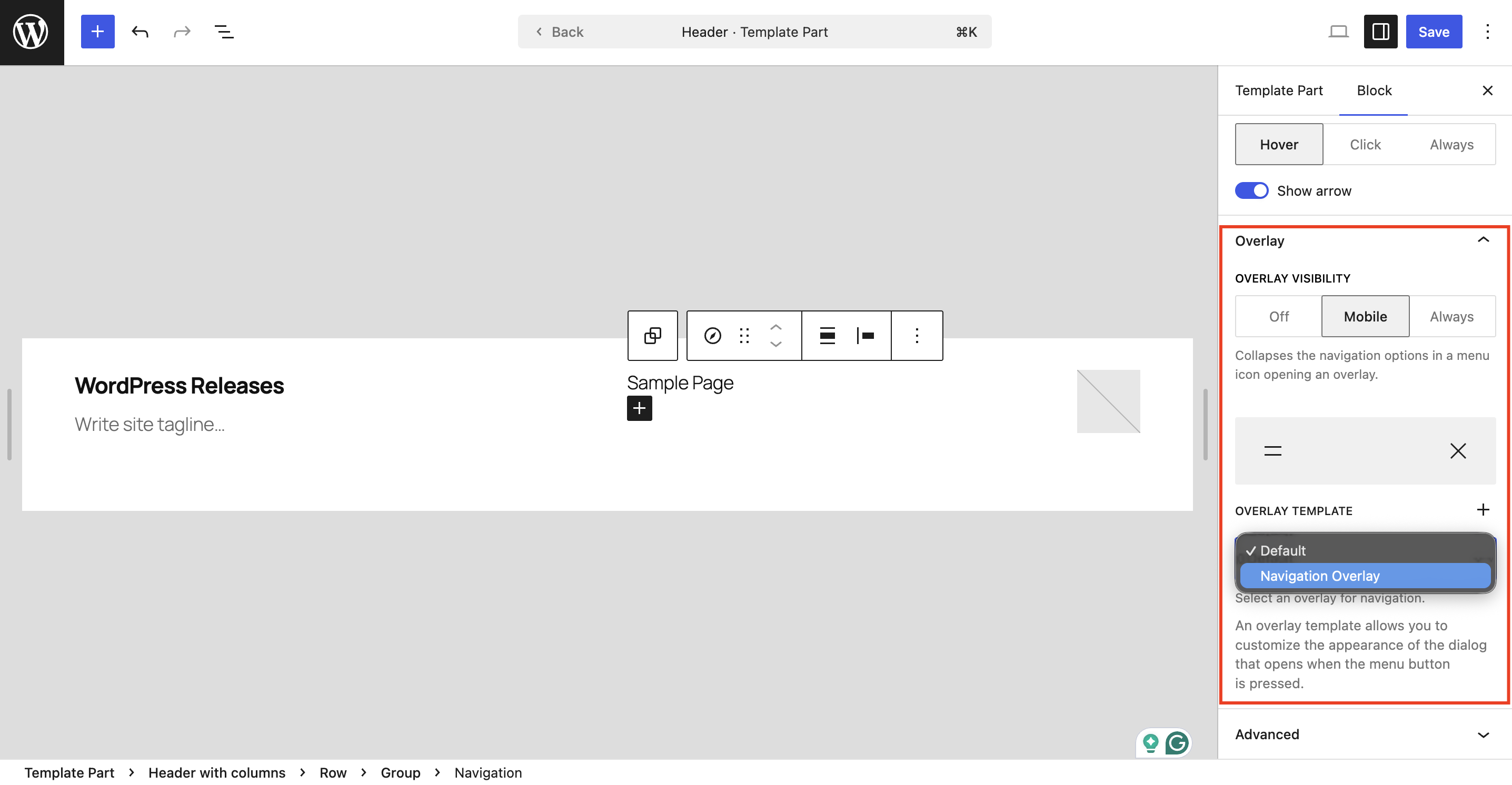
The Navigation Block gets a major upgrade in WordPress 7.0. The navigation workflow is now more intuitive and clear. You can now customize navigation overlays as template parts, including mobile version overlays that can be hidden or revealed based on custom breakpoint settings.
🟢 Video Embed Backgrounds in Cover Block
Want to make your hero sections more dynamic? WordPress 7.0 lets you use video embeds as backgrounds in the Cover block. This opens up exciting possibilities for creating sleek, modern designs that capture attention and engage visitors.
🟢 Responsive Grid Block
Whether your visitors are browsing through mobile, desktop, or tablet, the latest responsive grid block gives you complete flexibility to adapt smoothly across different screen sizes. By enabling the responsive grid block, WordPress users will gain flexibility. Structured content layouts now adjust seamlessly, reducing the effort required to handle common breakpoint scenarios. With responsive capabilities now built right in, the Grid block ensures your designs look polished and consistent, no matter the device.
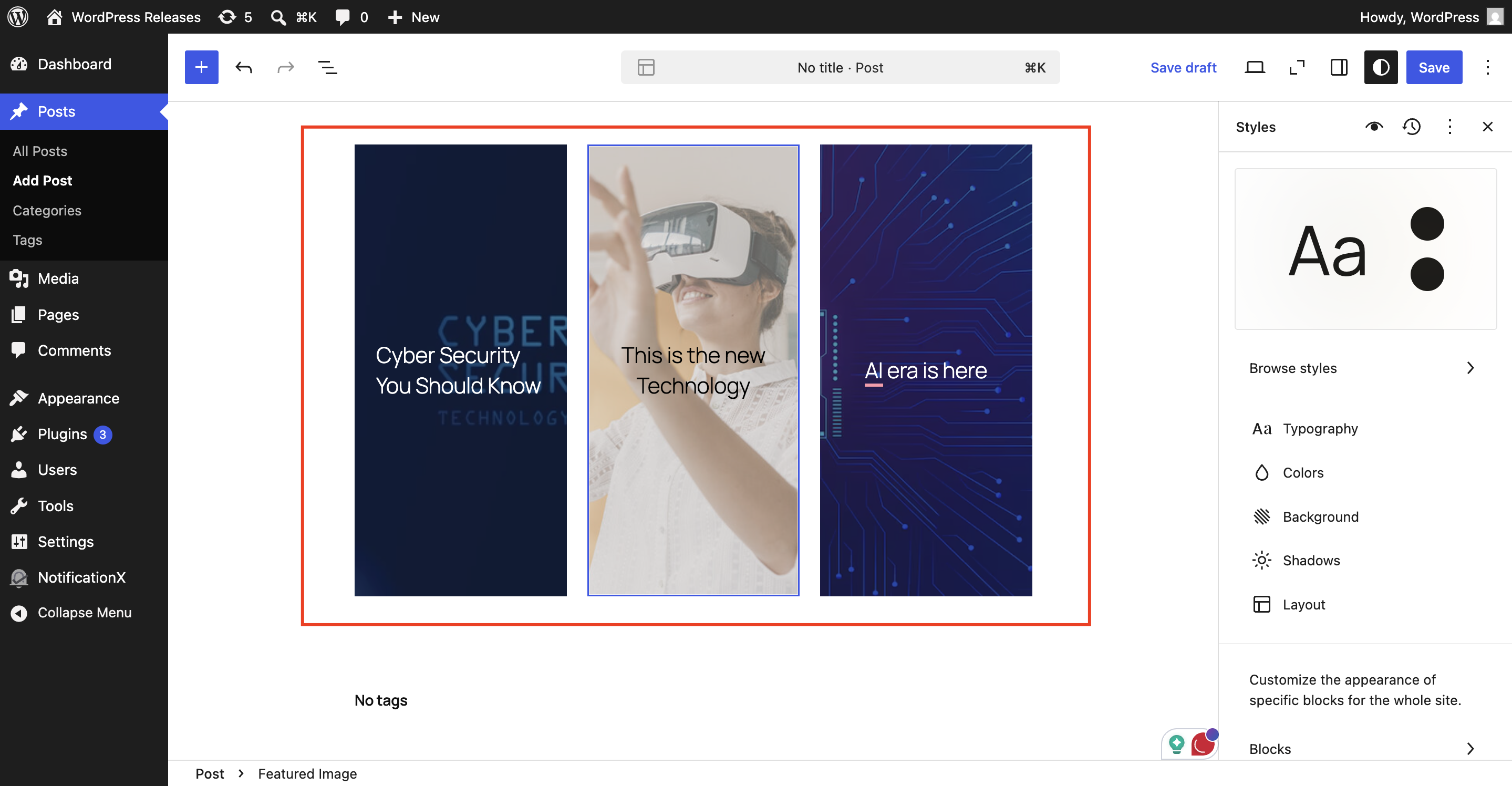
🟢 Gallery Lightbox Support
The Gallery block now includes lightbox support, allowing users to click through and view each gallery image in a beautiful, full-screen lightbox. This is perfect for photographers, artists and anyone showcasing visual content.
Easy Content Customization for Creators
In the latest WordPress release, content customization has become much easier for creators. With new tools and design, enhanced editing controls that focus on mobile friendliness. Here are some of the easy content customization updates that are mentioned below:
🟢 Pattern Editing And Content-Only Interactivity
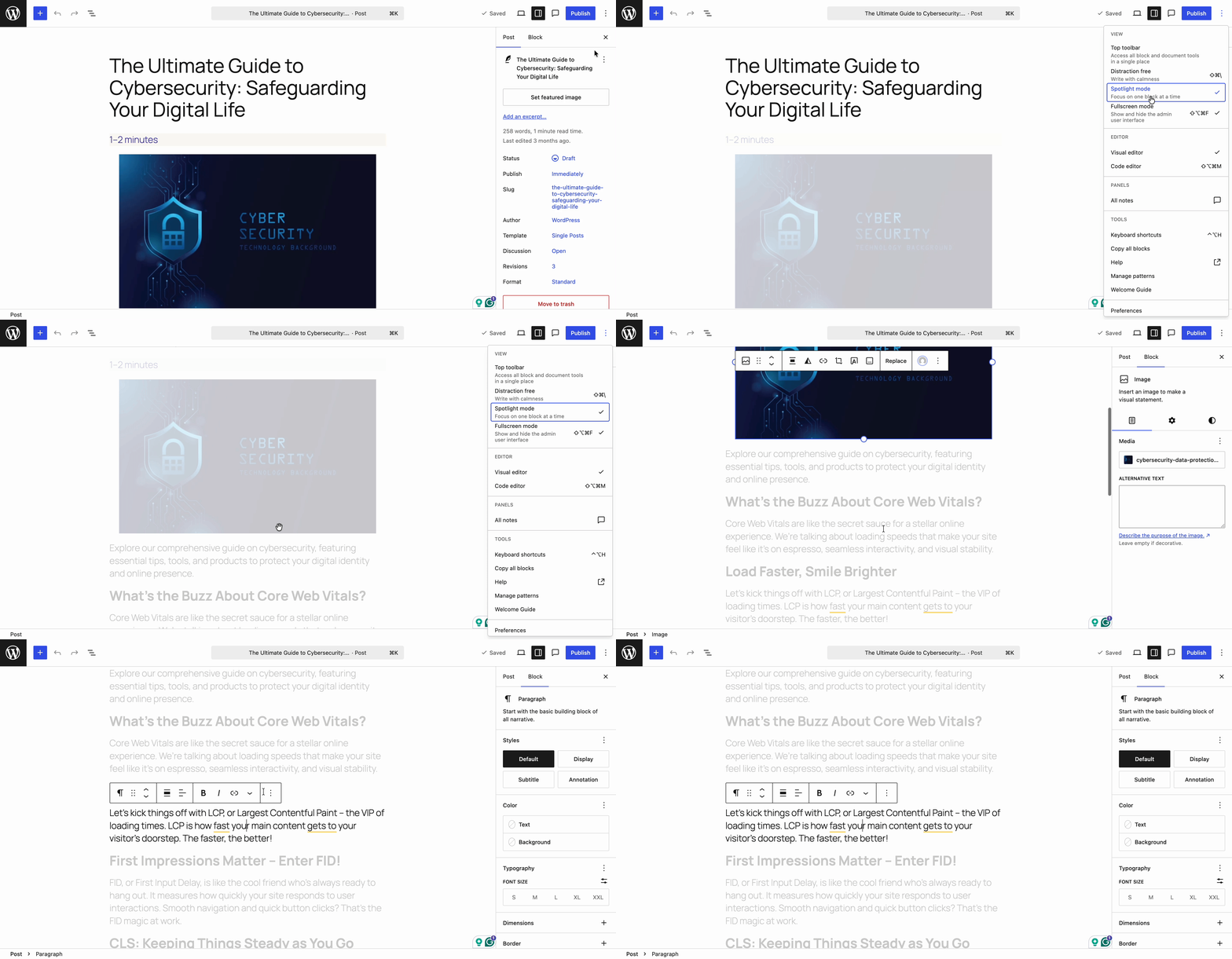
The new Spotlight Mode lets you isolate content within patterns and notes, helping you stay focused on what truly matters, without any distractions. This is especially useful when working on complex designs with multiple layers. In this release, there is also a tree view for buttons and list blocks, making it easier to navigate and organize content within patterns. This gives you a clearer view of your page structure and helps you make edits more efficiently.
🟢 Responsive Editing Mode
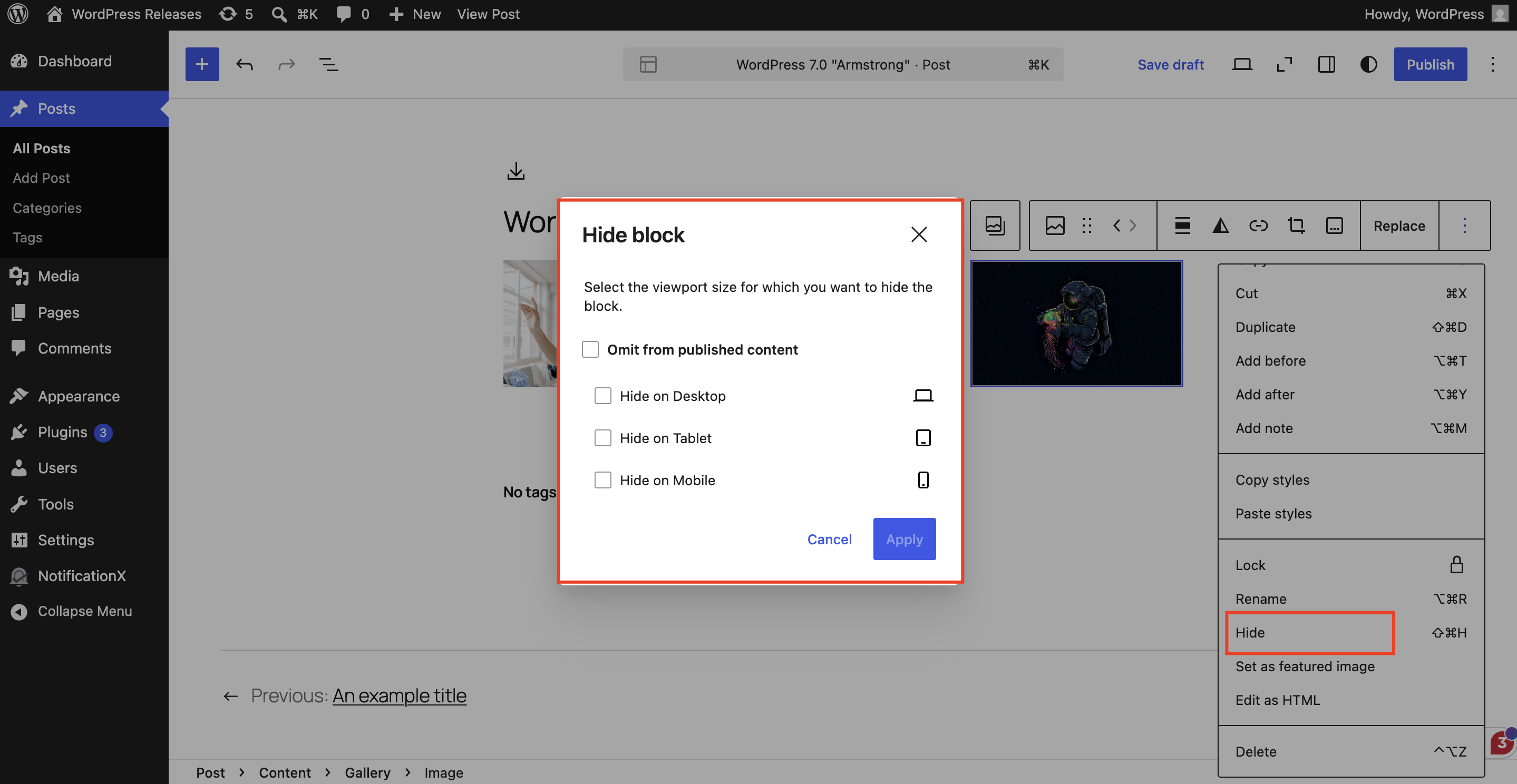
Mobile traffic continues to dominate the web and WordPress 7.0 makes it easier than ever to create mobile-friendly designs. With responsive editing controls, you can now show or hide blocks based on screen size.
🟢 Hide Blocks from Specific Devices
WordPress 7.0 gives you finer control over how your site looks and behaves across every device. Show or hide specific blocks on any screen size without disrupting other viewports. Fine-tune styles for each breakpoint and even define what those breakpoints are, for a truly tailored, user-friendly experience.
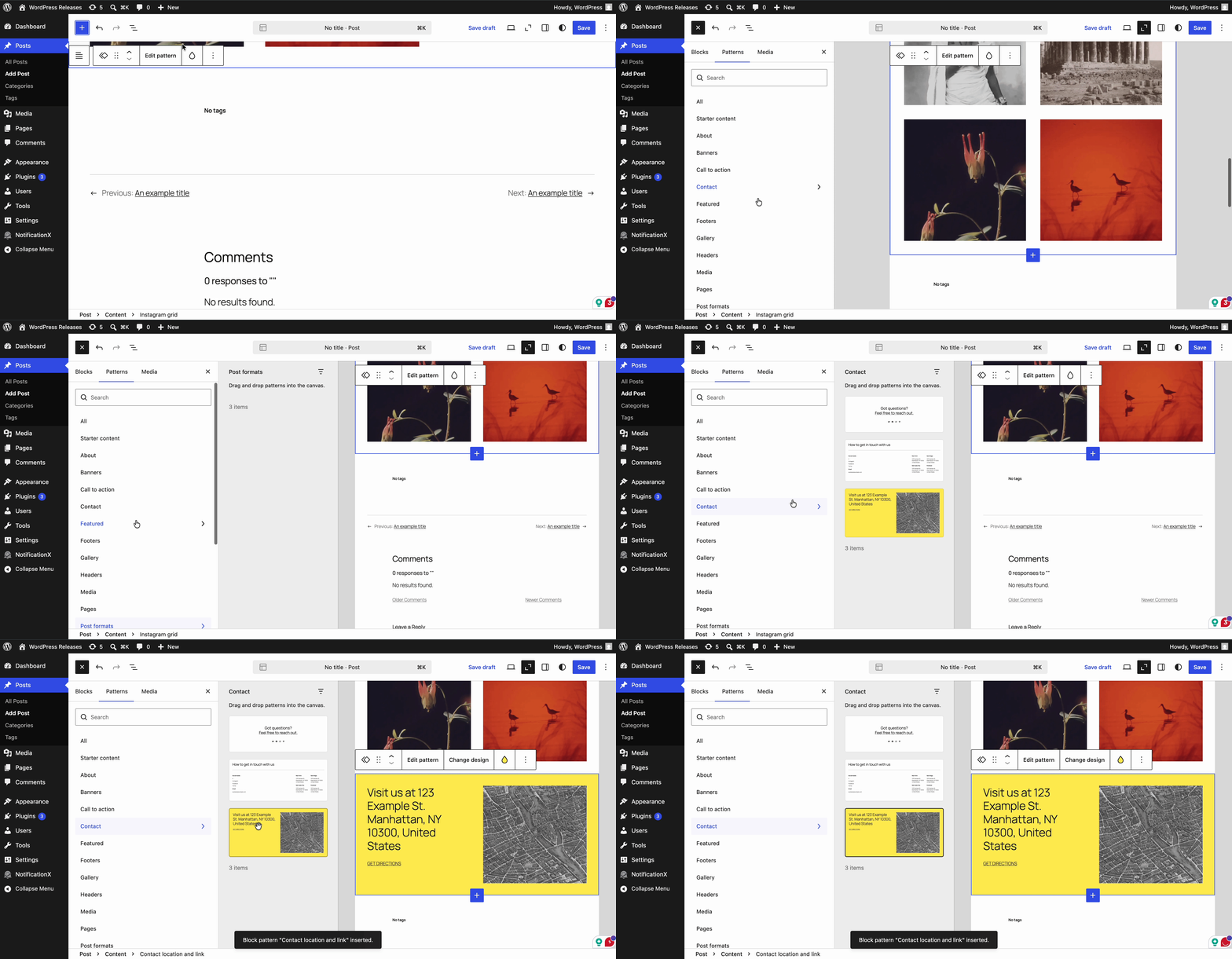
🟢 Patterns That Work as One Seamless Block
Drop a pattern onto your page and it instantly functions as a single, unified block, no more digging through layers of nested blocks to find what you need. Swap out text and images, tweak styles right from the inspector, and keep your workflow moving. Need to go deeper? Simply click ‘Edit Pattern’ to unlock the full suite of editing tools at your fingertips.
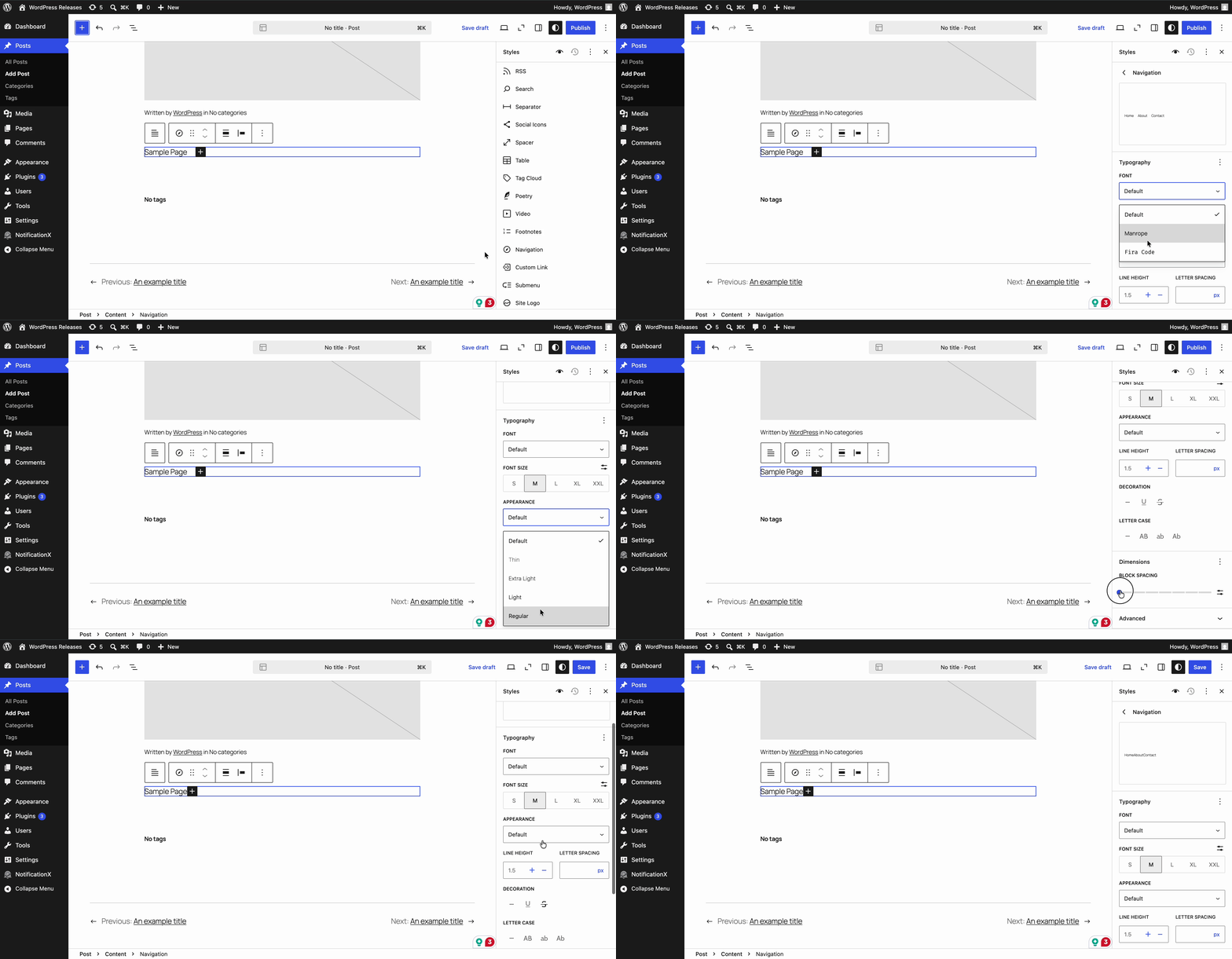
🟢 Build the Perfect Menu Overlay
Design stunning menu overlays using blocks and patterns, styled exactly the way you envision. Add columns, fine-tune typography, or embed a custom close button; every detail is in your hands. Kick things off with a ready-made template or build your menu entirely from scratch.
Client-Side Media Processing: Faster, Smoother Uploads
Uploading and processing images is now quicker with client-side media processing. WordPress 7.0 uses your browser’s capabilities to manage tasks like image resizing and compression, reducing the load on your web server.
As a result, you get a smoother media workflow, support for more advanced image formats, and improved compression methods, all while keeping your site fast and responsive.
What Is Inside for Developers?
WordPress 7.0 delivers an expanded, feature-rich toolkit designed to help you build faster, smarter, and more efficiently than ever. Craft blocks and patterns at the server level using nothing but PHP, with seamless auto-registration through the Block API. Dive into a more extensible Site Editor, now equipped with routing, route validation and the all-new wordpress/ boot package, empowering plugins to create fully custom Site Editor pages with ease.
Explore WordPress 7.0 “Armstrong” And Shape the Future of WordPress
Now, it is time to get started with WordPress 7.0 “Armstrong” and explore the amazing features, blocks and updates to make your WordPress experience faster. If you are still on the older version, it is time to dig deeper into the latest release.
Hopefully, you have found this article helpful. We are really excited to learn more about your experience with WordPress 7.0. If you want to stay up to date with the latest WordPress updates, trends and tips, subscribe to our blogs and join our Facebook Community.